Run Kodi inside a privileged LXC container on Proxmox VE, expose the host iGPU and USB input devices, and turn the Proxmox server into an all-in-one media center connected directly to a TV.
Heads up
/dev/dri wiring + driver install inside the CT. The script below additionally bootstraps Kodi itself and the autostart on tty7. Use it if you want a turnkey media-centre LXC; use the ProxMenux flow if you only need GPU access for a CT you set up by hand.Original Kodi LXC script created by mrrudy.
The CT needs to be privileged so it can access USB input devices (keyboards, remotes, controllers). The script handles privilege flags + GPU wiring + Kodi install + autostart on tty7:
bash -c "$(wget -qLO - https://raw.githubusercontent.com/mrrudy/proxmoxHelper/main/ct/kodi-v1.sh)"Be patient — it takes a while to install. When it finishes and Kodi starts on tty7, you can plug your monitor or TV directly into the host's HDMI / DisplayPort output and you should see the Kodi UI.
Input devices live under /dev/input/ on the host. Identify the major number:
ls -l /dev/input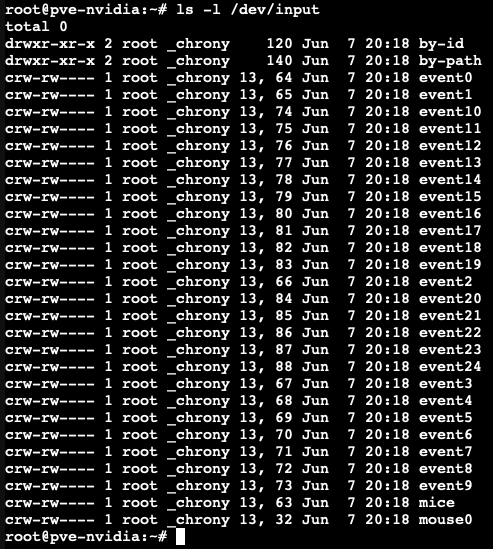
Take the first column number (in the example: 13). Stop the Kodi LXC, then edit its config (replace <CTID> with the container ID — for example, 102):
nano /etc/pve/lxc/'<'CTID'>'.confAdd (adjust 13 to what you saw on your host):
lxc.cgroup2.devices.allow = c 13:* rwm
lxc.mount.entry: /dev/input dev/input none bind,optional,create=dir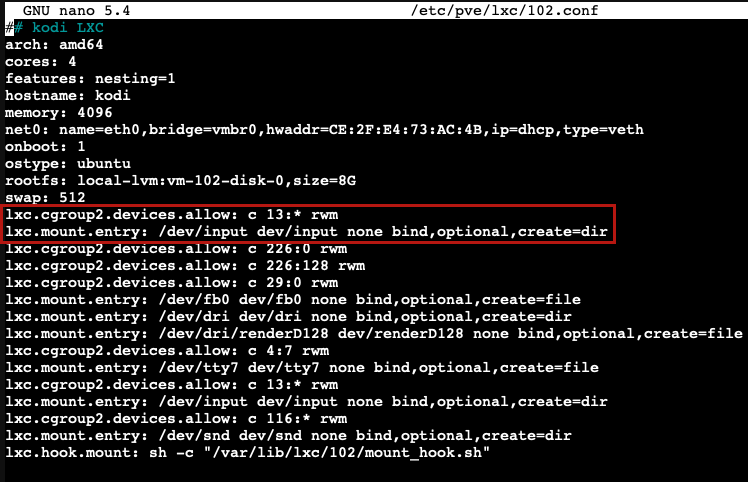
Save (Ctrl+X) and restart only the container — no need to reboot the whole Proxmox host:
pct restart '<'CTID'>'Plug in the keyboard / mouse / controller and Kodi should respond to it.
Important
add-apt-repository won't be available and the PPA will not work. The mrrudy script defaults to an Ubuntu template, so this should normally apply. To verify: cat /etc/os-release inside the container — look for NAME="Ubuntu".Inside the container (pct enter <CTID>):
sudo add-apt-repository ppa:team-xbmc/ppa
sudo apt update
sudo apt install kodi kodi-bin
Restart the container when it finishes; on boot you'll have the latest Kodi.
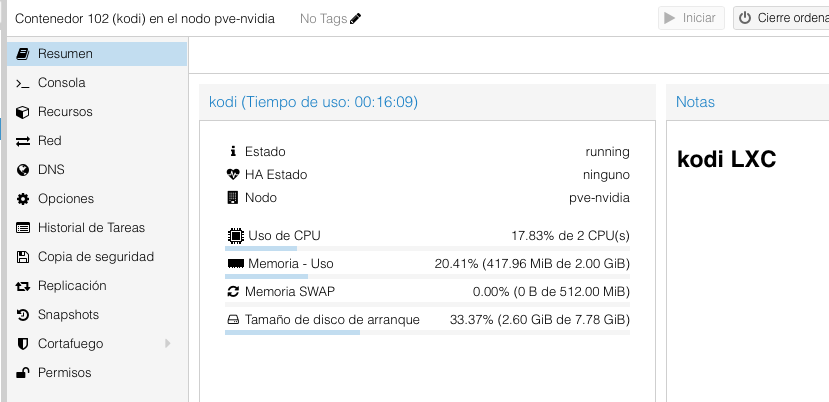
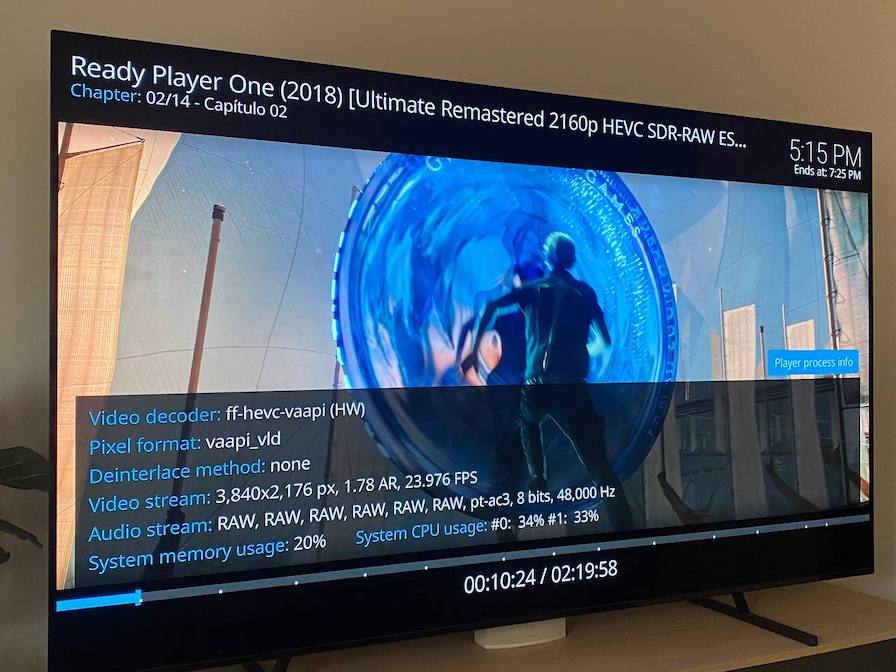
ls /dev/dri inside the container (you should see card0, renderD128). If empty, the GPU passthrough wasn't applied — re-run the script or use the ProxMenux Add GPU to LXC menu./dev/input changed (rare, but happens after kernel updates). Re-run ls -l /dev/input on the host and update the lxc.cgroup2.devices.allow line.intel-media-va-driver for newer Intel iGPUs, i965-va-driver for older ones, mesa-va-drivers on AMD).add-apt-repository: command not found: the container is Debian, not Ubuntu. Either use the Debian Kodi packages (older but stable) or recreate the CT from an Ubuntu template.