
Creating backups
The interactive backup flow: pick a destination and a profile, review the confirmation summary, watch the archive land. Two entry points share the same backend and produce identical archives.
Two entry points, identical functionality
_bk_pbs, _bk_borg or _bk_local). The archives produced from either entry point are indistinguishable. Which one to use is a matter of preference: the TUI is SSH-friendly and scriptable; the Monitor offers point-and-click and lives alongside the notification and log tail views.The two entry points
| Entry point | Path | Detail |
|---|---|---|
| ProxMenux Scripts (TUI) | menu → Utilities → Host Config Backup | Dialog-based flow, SSH-friendly. The main menu presents the six options directly. Uses backup_menu in backup_host.sh. |
| ProxMenux Monitor (Web UI) | Backups tab → Create backup | Wizard-style flow. Same six options presented as a two-step form (destination → profile). Same backend functions are invoked over the Flask API. |
Manual vs scheduled backups
Backups can be produced in two modes: manual (the interactive flow this page documents — the user picks a destination and a profile from a menu and watches the archive land) or scheduled (an unattended job that runs on a cron-style timer and applies the retention configured on the job). Both modes support the same three destinations and the same two profiles, and both are available from both entry points — the Scripts TUI menu and the Monitor Backups tab. Scheduled jobs use the same backend functions as the manual flow through run_scheduled_backup.sh; the archives produced are indistinguishable.
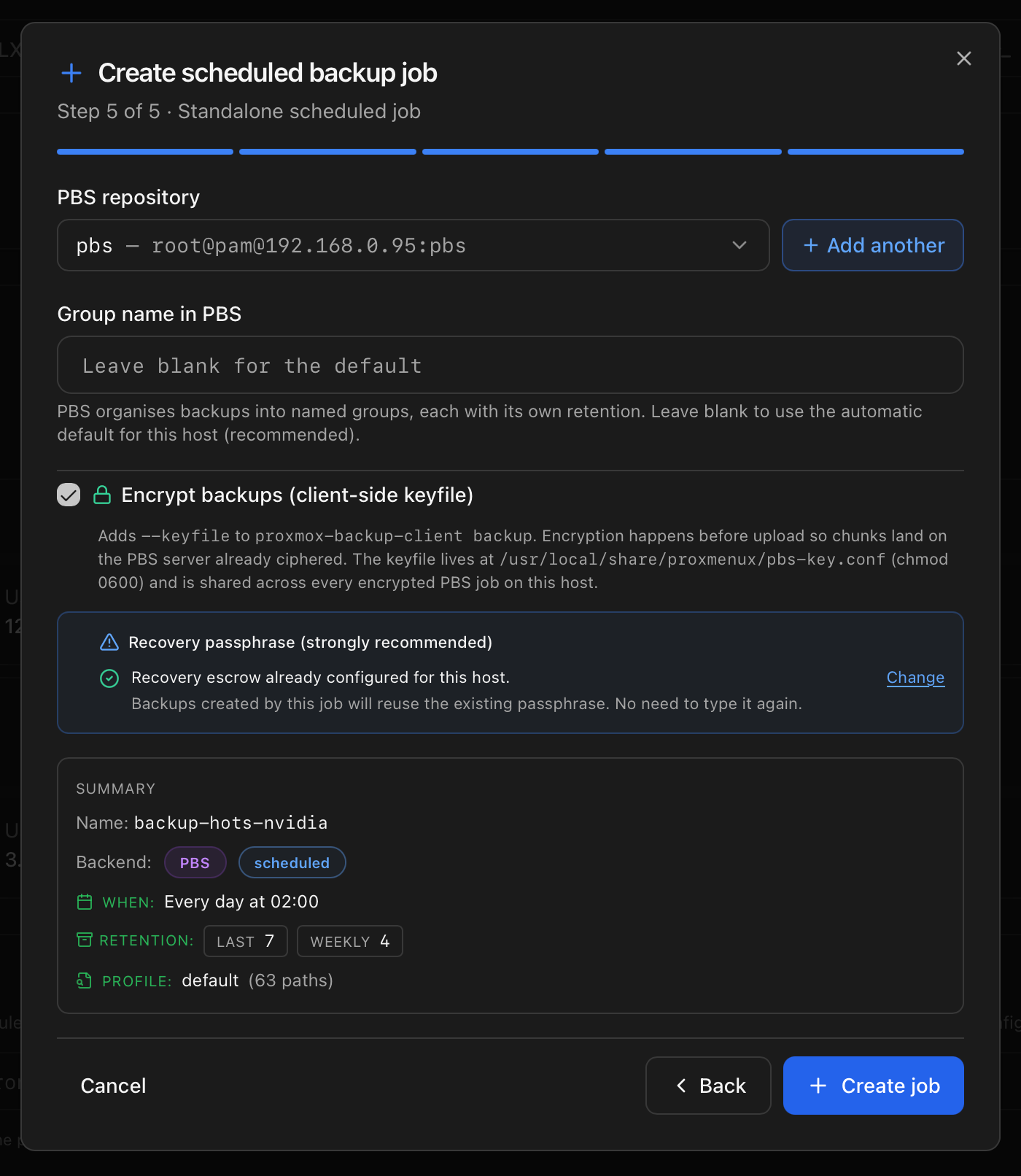
The six-option matrix
The choice determines both which backend runs and what path selection strategy is applied. Cross-reference the destination-specific pages for the configuration details of each cell.
| # | Destination | Profile | What it does |
|---|---|---|---|
| 1 | PBS | Default | Uploads the default profile plus persistent extras to a configured PBS repository. |
| 2 | Borg | Default | Creates an archive with the default profile plus persistent extras in the selected Borg repository. |
| 3 | Local | Default | Writes a .tar.zst archive with the default profile plus persistent extras to the configured local target. |
| 4 | PBS | Custom | Opens the path picker before the PBS upload; the user ticks paths and can add new ones. |
| 5 | Borg | Custom | Opens the path picker before the Borg archive create. |
| 6 | Local | Custom | Opens the path picker before writing the local .tar.zst. |
Default vs Custom profile
Default profile
The default profile is the curated list from hb_default_profile_paths (documented in How it works under Path categories) plus every entry in the persistent extras file /usr/local/share/proxmenux/backup-extra-paths.txt. The user confirms the destination and encryption options and the backup proceeds without further path selection.
Custom profile
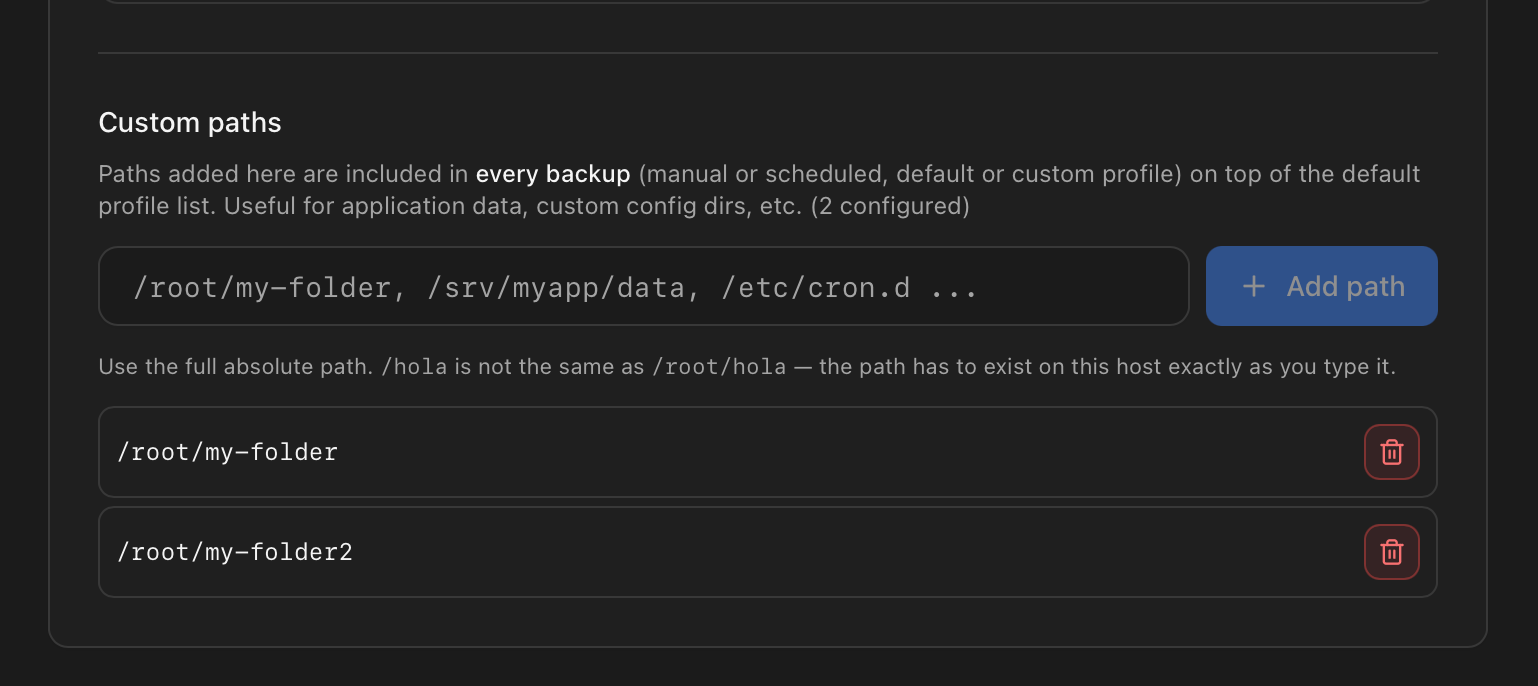
The custom profile opens a checklist showing every path in the default profile (unchecked) and every persistent extra (pre-checked, prefixed with [+]). The user ticks the set for this run and can press Add custom path to append a new absolute path. Any path added inline is persisted to backup-extra-paths.txt so future backups pick it up automatically without re-adding it. Removing a persistent extra unticks it for this run but does not delete it from the file — deletion is a separate Manage custom paths action outside the backup flow.
![Custom profile checklist showing the default-profile paths (unchecked) and persistent extras (pre-checked with a [+] prefix), plus buttons to add a new path or confirm the selection.](/images/docs/backup-restore/custom-picker.png)
What runs regardless of destination
After the profile is resolved, every backend runs the same staging pipeline before diverging into its own upload path. hb_prepare_staging assembles the archive tree in /tmp/proxmenux-DESTINATION-stage.XXXXXX and populates each of the three payloads.
| # | Step | Detail |
|---|---|---|
| 1 | rootfs assembly | Runs rsync -a for each selected path into staging_root/rootfs/. The pmxcfs database at /var/lib/pve-cluster/config.db is captured separately via sqlite3 .backup to produce a consistent snapshot without stopping the cluster, and the .db-wal / .db-shm sidecars are excluded from the rsync; when sqlite3 is not available a config.db.raw-fallback is dropped instead, and the restore promotes it on import. Volatile subpaths (bash history, caches, trash) are excluded from /root/. Paths absent from the source are recorded in metadata/missing_paths.txt without stopping the backup. |
| 2 | Manifest generation | build_manifest.sh orchestrates the six collectors and writes manifest.json at the top of staging. On collector failure, the affected section falls back to a documented empty default; the manifest is still valid. |
| 3 | Package inventory | apt-mark showmanual is captured verbatim into metadata/packages.manual.list. Component state is already inside the restored rootfs (components_status.json) because /usr/local/share/proxmenux/ is part of the default profile. |
| 4 | Run info | metadata/run_info.env records the backup run identity — hostname, timestamp, kernel version — used by the restore's compatibility check to determine the cross-kernel direction. |
| 5 | Notification (start) | hb_notify_lifecycle "start" fires. If notifications are configured in the Monitor, an user-facing Host backup started event is emitted. Silent if no channels are configured. |
What goes in and what stays out
Every path in the resolved profile (default + persistent extras + custom-mode selection) is copied with rsync -aAXH --numeric-ids. A shared exclusion list applies to every path, and two directories carry additional path-specific exclusions.
Global exclusions (applied to every path)
- •
images/— image dumps. - •
dump/— vzdump outputs. - •
tmp/— temporary files. - •
*.log— log files.
/root/ exclusions
/root/ is part of the default profile so user scripts and config land in the archive. Volatile subpaths are dropped:
- •
.bash_history - •
.cache/ - •
tmp/ - •
.local/share/Trash/
/usr/local/share/proxmenux/ exclusions
This directory ships user state only — components_status.json, preferences, post-install cache. Code that the destination will already have from its own ProxMenux install is excluded so a restore does not overwrite the target's current binaries with older ones:
- •
restore-pending/,scripts/,web/ - •
monitor-app/,monitor-app.*/,AppImage/ - •
images/,json/ - •
utils.sh,helpers_cache.json - •
ProxMenux-Monitor.AppImage*,install_proxmenux*.sh
Paths outside the profile
Anything not listed in hb_default_profile_paths and not added as a custom or persistent extra is not part of the backup. Notable examples:
- •VM and LXC disks — handled by
vzdump, not by this feature. Guest configuration files under/etc/pve/nodes/*/qemu-server/*.confandlxc/*.confare captured (they live under/etc/pve) so the restore reproduces the inventory; the disks themselves are re-attached from an existing vzdump/PBS backup. - •
/bootand/boot/efi— kernel binaries, initramfs and the UEFI ESP partition are regenerated by the target's ownupdate-initramfs,update-gruborproxmox-boot-tool refreshafter the restore. The bootloader is never copied verbatim. - •Kernel and system runtime filesystems —
/proc,/sys,/devand/runare pseudo-filesystems produced by the kernel and udev; they are not persisted anywhere. - •Package binaries under
/usr/bin,/usr/lib,/lib,/sbin— reinstalled by the target's APT frompackages.manual.list. - •
/var/log/,/var/tmp/,/var/cache/— per-host runtime state, not restored. - •
/home/USER— not in the default profile. Add it as a custom path when a system carries user home directories that must survive a restore.
How custom paths are handled
A custom path added inline in Custom mode or persisted in backup-extra-paths.txt goes through the same rsync pipeline as default-profile paths. Global exclusions apply. If the custom path happens to be under /root/ or /usr/local/share/proxmenux/, the path-specific exclusions above still apply. Every archived path — default or custom — is recorded in metadata/paths_archived.txt. Paths that do not exist on the source are recorded in metadata/missing_paths.txt without stopping the backup.
Archive structure
The staging directory produced by every backend follows the same layout regardless of destination. The tarball, PBS .pxar or Borg archive stores this tree verbatim.
backup-[timestamp]/
├── manifest.json                  # structured host state (kernel_params, hardware, storage, guests, components, source_host)
├── metadata/
│   ├── packages.manual.list       # output of apt-mark showmanual
│   ├── run_info.env               # hostname, timestamp, kernel version, pmxcfs method
│   ├── paths_archived.txt         # exact list of paths that reached rootfs/
│   └── missing_paths.txt          # paths from the profile absent on source
└── rootfs/
    ├── etc/                       # /etc/pve, /etc/network, /etc/systemd/network, /etc/ssh, /etc/apt, ...
    ├── root/                      # /root without volatile subpaths
    ├── usr/local/                 # /usr/local/bin, /usr/local/sbin, /usr/local/share/proxmenux (state only)
    └── var/                       # /var/lib/pve-cluster (config.db via sqlite3 .backup), /var/spool/cron/crontabs
Confirmation summary
Before the backend writes anything to the destination, ProxMenux shows a summary dialog with the destination, backup ID or archive name, encryption state, and the list of paths being copied. Cancelling here aborts the backup cleanly — the staging directory is removed by the trap hook set on the backend function and no partial data reaches the destination.
Writing to the destination
Once the user confirms, each backend runs its own write step. The mechanics are covered in the destination pages; the shared surface is the log, the sidecar and the completion notification.
| Topic | Detail |
|---|---|
| Log file | Every backend writes its full output to /tmp/proxmenux-DESTINATION-backup-YYYYMMDD_HHMMSS.log and, on failure, offers to open it in a scrollable dialog. The log path is printed in the completion summary only when the file has content. |
| Sidecar (local only) | hb_write_archive_sidecar drops a *.proxmenux.json next to the local archive so the Monitor identifies it as a ProxMenux host backup even after moves or renames. |
| Notification (complete/fail) | hb_notify_lifecycle "complete" or "fail" fires with duration, archive size and — for failures — the last error-looking line from the log. |
What a finished backup looks like
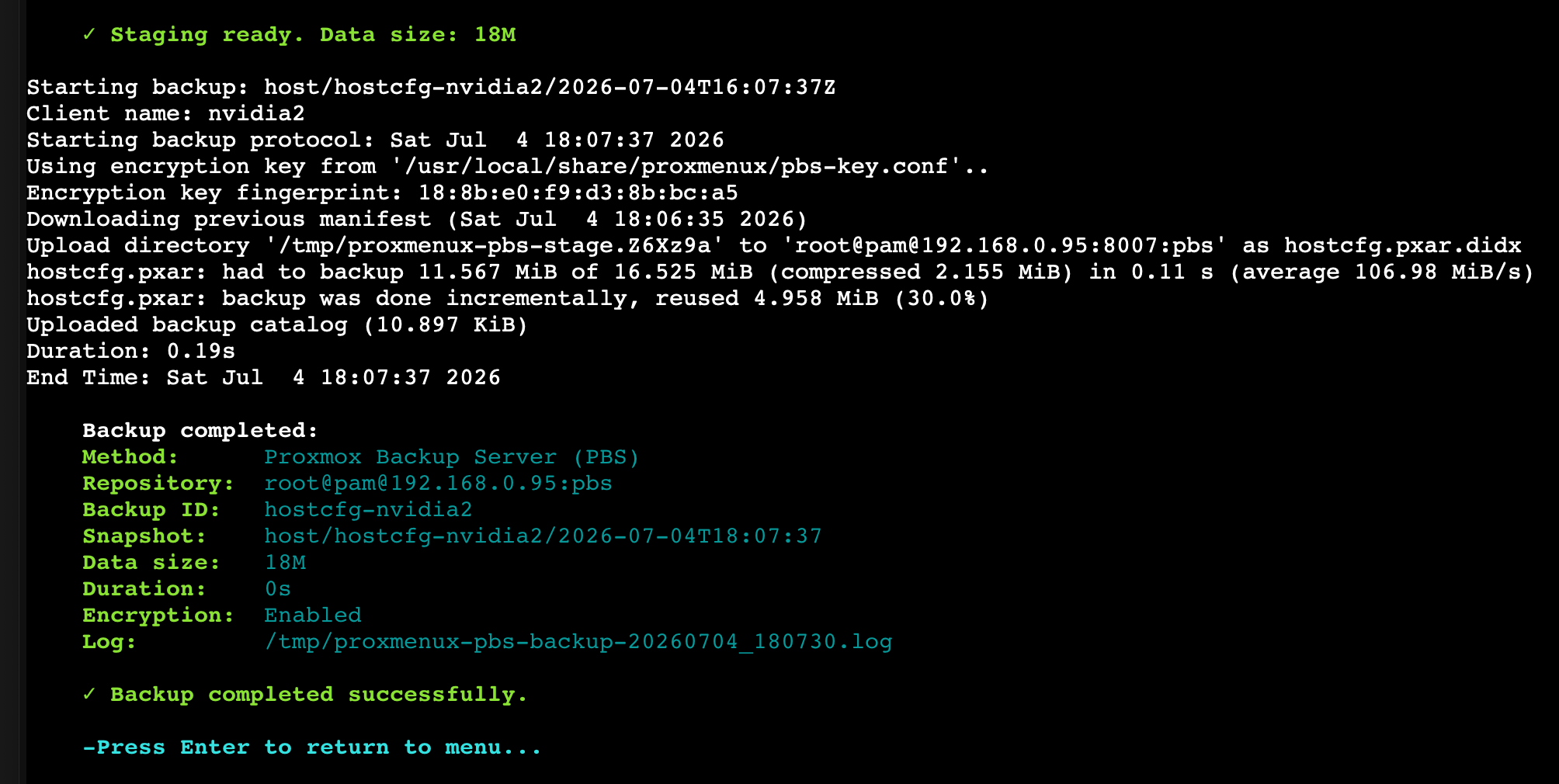
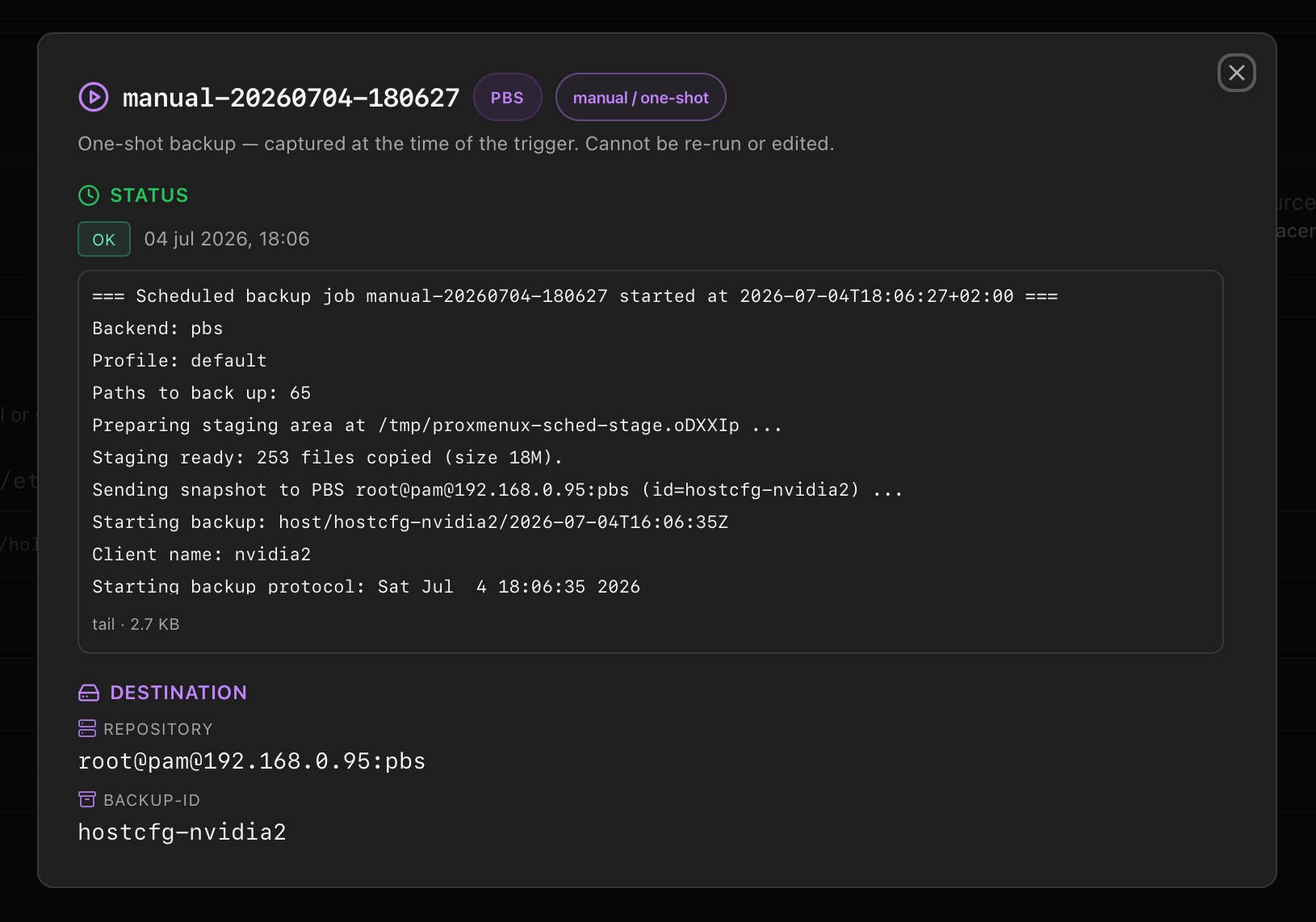
The same completion event is surfaced by both entry points. The TUI writes a summary block to the terminal; the Monitor's Backups tab shows the run in the archive list with size, duration and status badges.
Where to go next
- Destinations — configuration details for Local, PBS and Borg.
- Scheduled jobs — running the same backup unattended on a schedule instead of interactively.
- Restoring — the flow that consumes what this page produces.