
Help and Info
Curated compendium of useful Linux and Proxmox VE commands organised by topic. Nine categories — covers everything from a quick pveversion check to a multi-line zfs send/receive — meant to live alongside the GPU, disk and share sections of ProxMenux as a one-stop reference.
What this is
A reference catalog of the commands you actually use on a Proxmox host, grouped by topic. Inside ProxMenux you can pick a number to run a command directly or paste your own at the prompt; on this site each category is a copy-paste table.
Opening the menu
From ProxMenux's main menu, press h. You will see this:
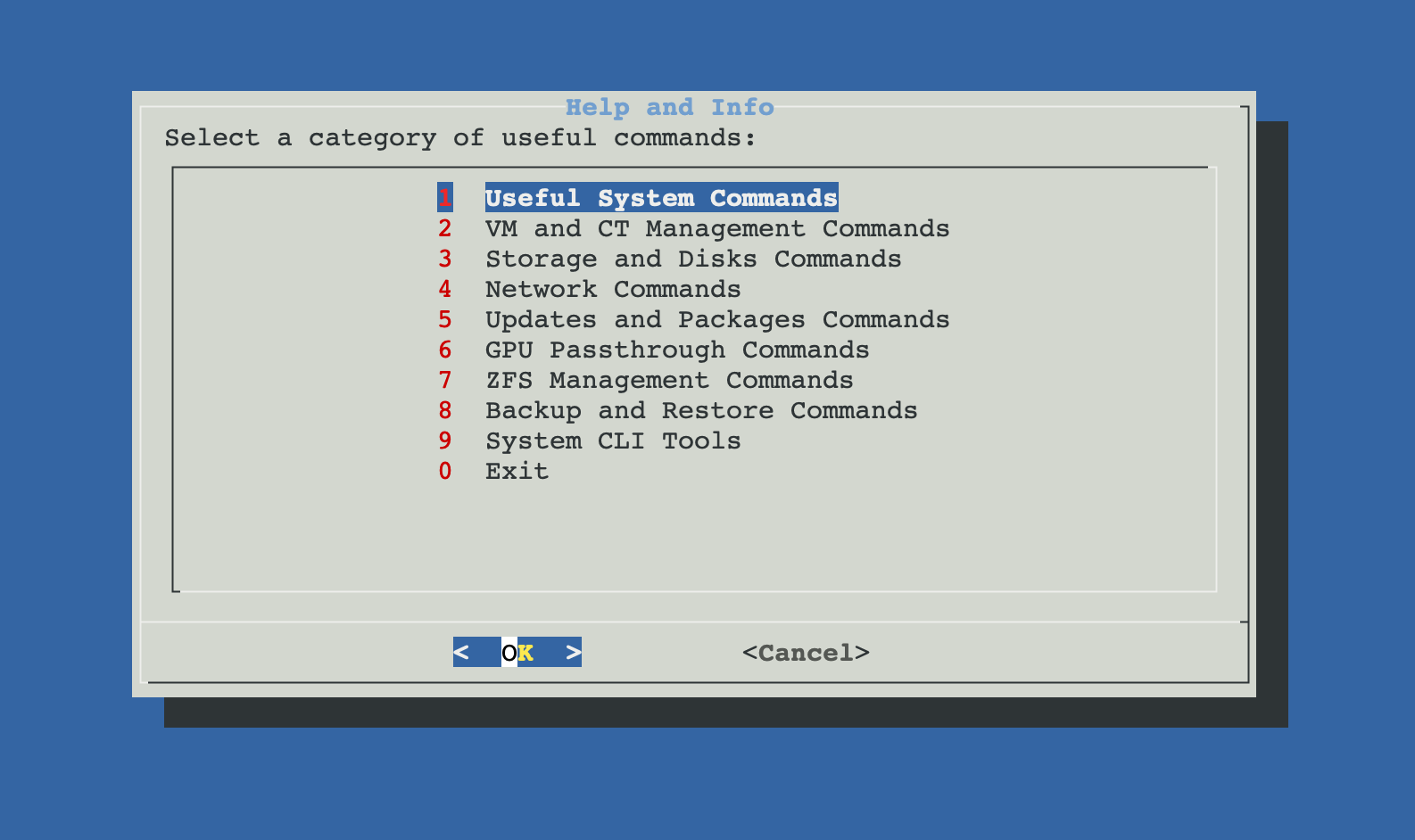
The nine categories
Useful System Commands
pveversion, uptime, free, journalctl, hostnamectl, current-user info, lynis audit, fastfetch.
VM and CT Management
qm list / config / start / stop / migrate, pct list / config / enter, snapshots, cloning.
Storage and Disks
lsblk, blkid, smartctl, mount info, pvesm status, LVM commands.
Network Commands
ip / ss / nmcli, bridge inspection, ping / traceroute, DNS lookups, fail2ban-client.
Updates and Packages
apt update / dist-upgrade, apt-cache policy, dpkg queries, repo file checks.
GPU Passthrough
lspci / dmesg checks, IOMMU enablement verification, vfio-pci binding, GPU usage from the host.
ZFS Management
zpool / zfs commands for status, datasets, snapshots, send/receive, ARC tuning, trimming.
Backup and Restore
vzdump, qmrestore / pct restore, Proxmox Backup Server helpers, snapshot operations.
System CLI Tools
tmux, screen, htop / btop, ncdu, jq, dig, lsof, watch — daily-driver admin tools.
Searchable from the global search
Every command in these pages is indexed by the documentation search. If you remember a flag or fragment but not which page it's on, hit the search bar at the top — you'll land directly on the right entry.