
Kept
The official image, its internal paths, its environment, its startup process and its functional documentation.
Official OCI images run as native Proxmox VE LXC containers. The image stays the one its maintainer publishes; ProxMenux reproduces the environment Docker Compose would have created around it.
One OCI image, one native LXC
The application is not rebuilt: its environment is reproduced declaratively.
OCI manager Apps opens from option OCI manager Apps (Technology Preview) of the ProxMenux main menu, on the Proxmox node and as root. Its first screen offers:
docker run command or an image reference.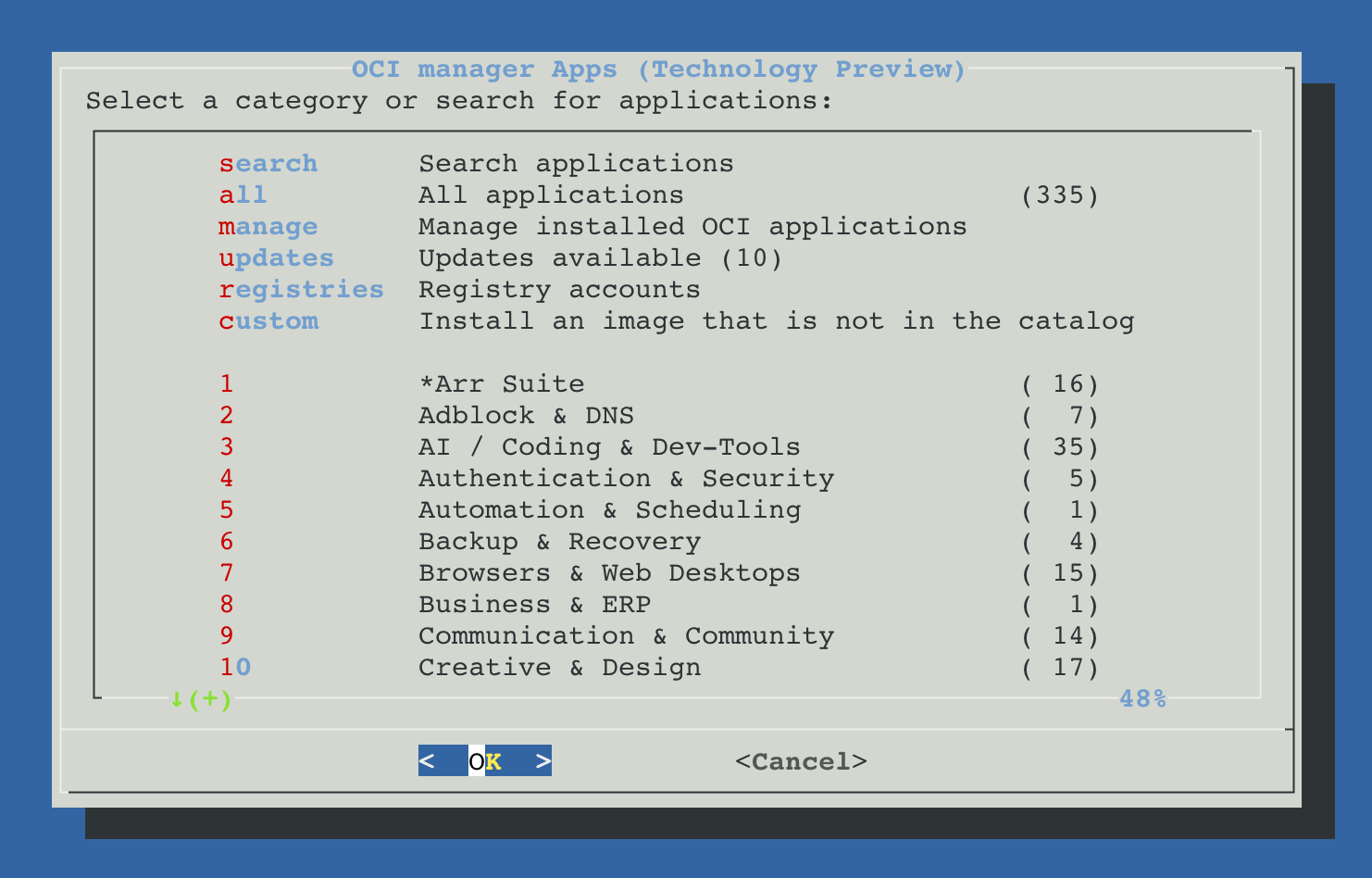
Selecting an application shows its description, the image it runs and two installation modes: Install with default settings, which asks only what every installation decides (storage, where the data goes, address and start), and Install with advanced settings, which opens every decision in order: VMID and resources, the storage of each path, the bridge and the devices.
An application that has been tested for real shows Verified in that view and is marked with ✓ in the lists, whether it was tested in the ProxMenux lab or by the community.
OCI manager Apps carries the Technology Preview label that Proxmox VE gives to application containers created from OCI images, introduced in Proxmox VE 9.1. It refers to what OCI manager Apps runs on, not to the ProxMenux engine: the behaviour of those containers can still change between Proxmox VE releases. The label stays until Proxmox VE marks that support as stable.
The engine of OCI manager Apps (installation, update, modification, recreation, backups, restore, migration and watchdog) is tested in the ProxMenux lab. Each application is tested on its own: the ones tested for real show Verified and carry a ✓ in the lists.
| Requirement | Docker expresses it as | OCI manager Apps turns it into |
|---|---|---|
| Run the application | image, entrypoint, command | OCI rootfs and the main process of the LXC |
| Keep configuration | volumes: /config | a persistent mpN disk included in the backup, or a host directory |
| Publish the service | ports | an address of its own for the LXC and the access URL of the service |
| Use hardware | devices, group_add | devN entries with the effective host GID and a validated profile |
| Connect dependencies | networks, depends_on | a private bridge, fixed addresses, start order and healthchecks |
| Update | pull and recreate | a new rootfs with the same persistent contract |
The official image, its internal paths, its environment, its startup process and its functional documentation.
The runtime environment: network, persistence, devices, permissions and dependencies use native Proxmox VE LXC primitives.
A Compose key with no safe equivalent is listed as a blocker. Templates with blockers are not offered, and sensitive options are confirmed during the installation.
Image digest, resources, paths, network, devices and stack membership are stored in the instance contract, which updates and recreations reproduce.