
Network Management
Read-only diagnostics, analyze-then-suggest reports and guided repairs for the classic Debian/Proxmox network stack. Every destructive flow takes a backup first and previews the exact changes before applying them.
What this menu is for
Opening the menu
From ProxMenux's main menu, select Network. You will see this:
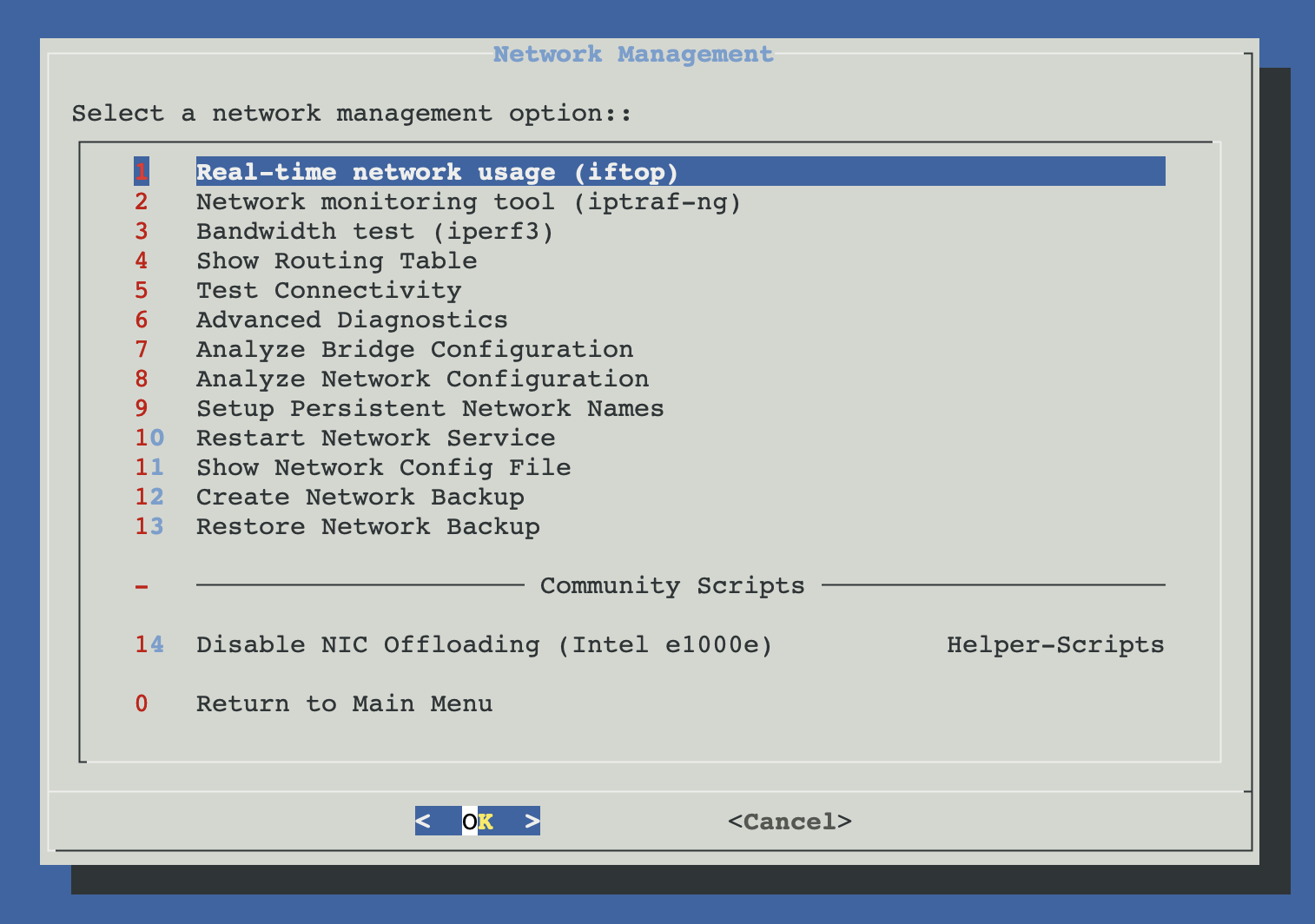
The safety model
Editing network configuration on a remote Proxmox host is one of the easiest ways to lock yourself out. ProxMenux treats every action accordingly. The tools fall into three behavioural tiers — pick the card that matches your intent:
Read-only
Pure inspection. Cannot modify the system under any circumstance.
- Routing table, connectivity tests, advanced statistics
- Live traffic monitoring (iftop, iptraf-ng)
- Bandwidth test (iperf3)
Analyze, then suggest
Detects issues, prints a report with proposed shell commands, and stops. You decide whether to enter the guided repair afterwards.
- Bridge configuration analysis
- Network configuration analysis
Apply with backup
Modifies the system. Always takes a timestamped backup of the affected file first and shows a preview before writing.
- Persistent interface names (.link files)
- Manual backup, restore and service restart
Classic stack only
/etc/network/interfaces. This is intentional: editing a netplan file with rules written for ifupdown would silently corrupt the configuration.Where backups go
Every guided repair, restore or manual backup writes a timestamped copy of /etc/network/interfaces to /var/backups/proxmenux/:
/var/backups/proxmenux/
├── interfaces_backup_2026-04-26_14-30-12
├── interfaces_backup_2026-04-26_15-08-44
└── interfaces_backup_2026-04-26_18-22-09
To roll back manually from a console:
cp /var/backups/proxmenux/interfaces_backup_<TIMESTAMP> /etc/network/interfaces
systemctl restart networking
Read-only inspection
The starting point when something feels off. Pure inspection — never writes to /etc/network/interfaces and never runs a modifying command (with one explicit, opt-in exception for purging NetworkManager when detected). Safe to use over SSH at any time.
Analyze, then suggest
Used when an inspection (or a real outage) points at a configuration issue. Each tool walks the relevant part of /etc/network/interfaces, prints a detailed report with the exact shell command that would fix each finding, and stops. If you accept the optional guided repair afterwards, every change is backed up and previewed before being written.
Apply with backup
Tools that write to disk by design. Each one takes a timestamped backup of the affected file before writing, and the destructive options (restore, restart) require an explicit yes/no confirmation. Persistent interface names takes effect at the next reboot, not immediately, so it is safe to schedule even on a remote host.
Have console access ready
Before any repair on a remote host