
Post-Install Scripts
Configure a fresh Proxmox VE host with ProxMenux's post-install optimizations. Apply the baseline automatically, choose individual options, update installed functions or restore supported reversible changes. Package upgrades are not presented as reversible.
What this menu is for
Opening the menu
From ProxMenux's main menu, select Settings post-install Proxmox. You will see this:
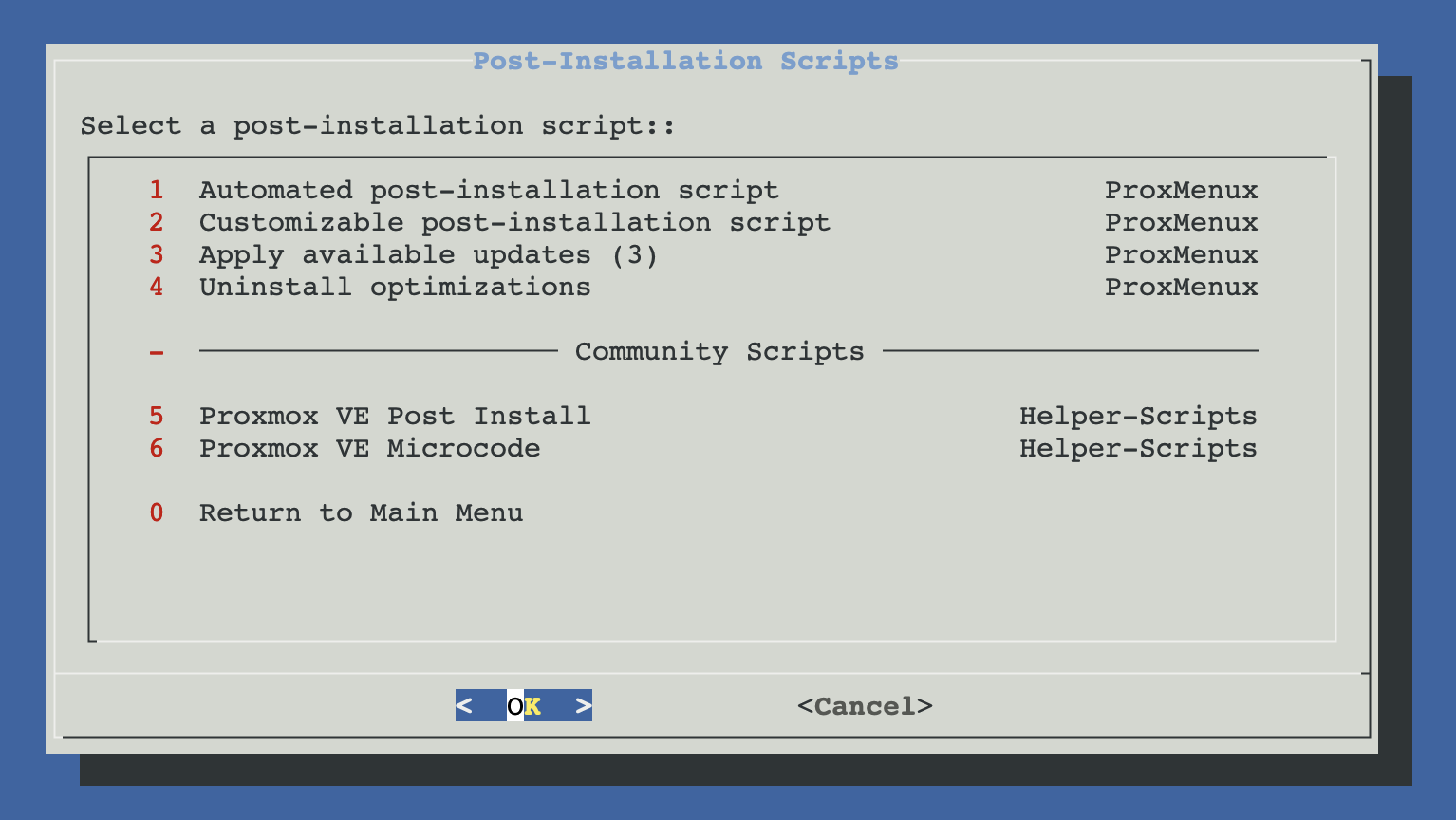
Four ways to apply optimizations
The four ProxMenux entries share the same underlying code and the same registry of installed tools — they just give you different levels of control. The Apply Available Updates entry only shows when at least one installed optimization has a newer version on disk than what is registered; on a freshly applied host it stays hidden.
Automated
A curated set of 14 safe, always-useful optimizations applied in sequence with zero prompts. Good default for most users.
- Free repos + system upgrade
- Memory, kernel, network tuning
- Log2RAM (auto-detected on SSD/NVMe)
- Journald + logrotate size limits
- Persistent interface names
Customizable
~35 individual optimizations across 10 categories. You pick exactly which ones to apply. Same engine as Automated, but with full control.
- Checklist UI per category
- Includes everything Automated does, plus opt-in items (IOMMU, Fastfetch, Figurine, Ceph, HA, AMD fixes…)
- Run as many times as you want — changes are idempotent
Apply Available Updates
When a post-install optimization (Log2Ram, Memory Settings, Logrotate…) gets a newer version on disk than what is registered on the host, this entry surfaces only the ones that moved. Re-runs the corresponding function and refreshes the registry — touches nothing else.
- Per-optimization opt-in (only what changed)
- Same picker available from the Monitor dashboard
- Single grouped notification when new updates land
Uninstall Optimizations
Supported reversible changes are tracked in a JSON registry and paired with a restoration function. Actions without a safe rollback, such as a full package upgrade, are intentionally excluded.
- Detects previously applied optimizations automatically
- Reversal picks the right path for each item — restores from a .bak backup where one was made, deletes the sysctl.d snippet where nothing needed backing up, or reinstalls the vanilla package with --force-confnew (e.g. subscription banner)
- Reboot prompt if needed (VFIO, persistent names, etc.)
Which one should you pick?
Mixing with other post-install scripts
Don't stack multiple post-install scripts
xshok-proxmox: deprecated
Community scripts
The menu also exposes two third-party scripts from the community-scripts project: Proxmox VE Post Install and Proxmox VE Microcode. These are wrappers that wget | bash the original authors' scripts. They are not maintained by ProxMenux. See External Repositories for details and trust considerations before running them.
Related
- Proxmox System Update — keeps the host up to date once it's been post-installed.
- Security — Fail2Ban + Lynis on top of the post-install hardening.
- Show Version Information — see which post-install components are tracked as installed.
- Updates and Packages commands — reference for apt / pveupgrade.