
Utilities & Tools
Six tools that round out the day-to-day Proxmox VE workflow: ISO creation, system maintenance and VM portability. Each option is independent — pick the one you need; nothing is installed until you ask for it.
What this menu is for
Opening the menu
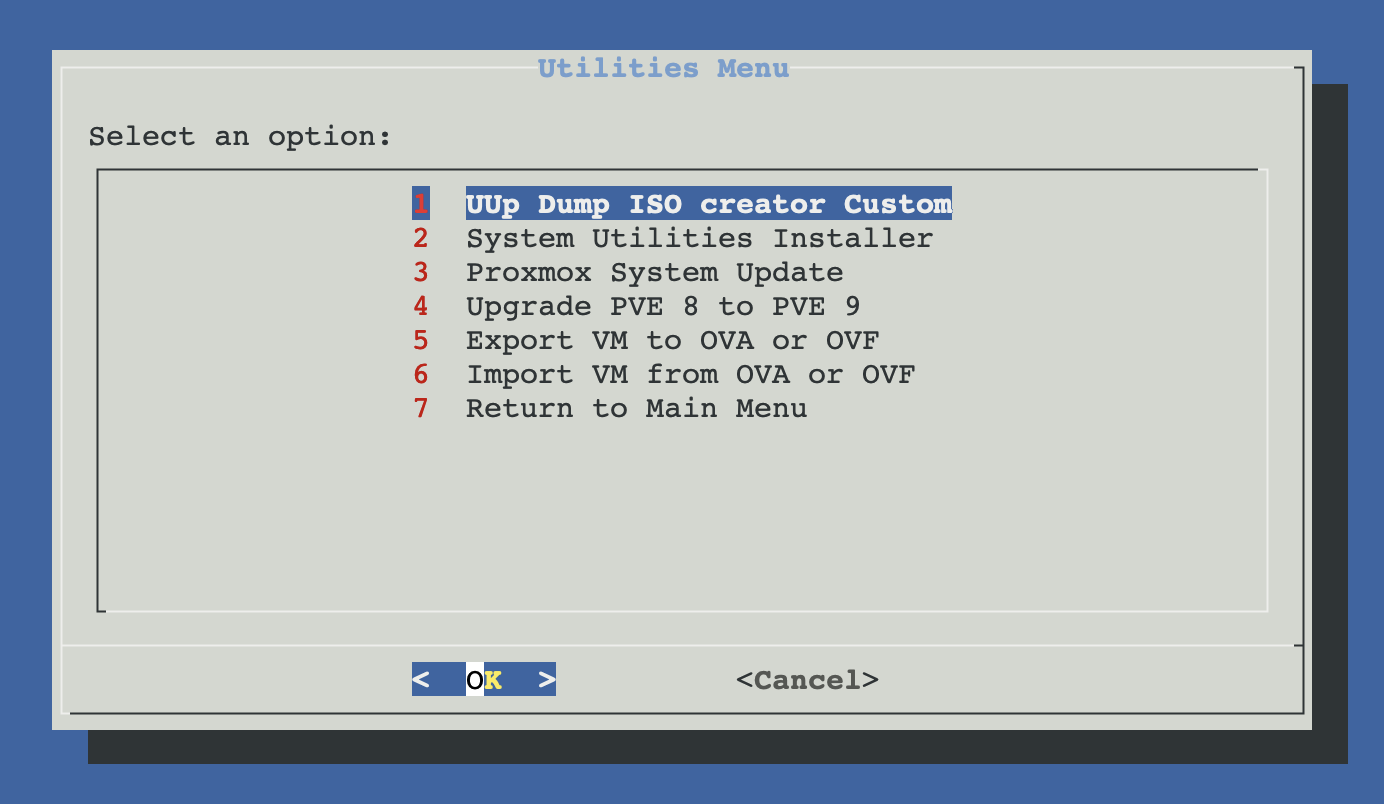
From ProxMenux's main menu, select Utilities. You will see this:
Three tool groups
The six tools fall into three independent groups. Click a card below to jump to the matching section.
ISO creation
Build official Windows ISOs from UUP Dump on the Proxmox host itself.
- UUP Dump shared link → bootable ISO
- Dependencies installed automatically
- Result drops into Proxmox's ISO template path
System maintenance
Keep the host healthy: CLI tooling, regular updates, and the major-version upgrade when it's time.
- System Utilities Installer (26 CLI tools)
- Proxmox System Update (apt + dist-upgrade)
- PVE 8 → PVE 9 major upgrade
VM portability
Move VMs in and out of Proxmox using the standard OVA / OVF format.
- Export Proxmox VM → OVA / OVF
- Import OVA / OVF → Proxmox VM
- Compatible with VMware and VirtualBox
The PVE 8 → 9 upgrade is destructive and not reversible
ISO creation
Build a fresh, up-to-date Windows installation ISO directly on the Proxmox host. The script automates the whole UUP Dump flow: dependency install (aria2c, cabextract, wimlib-imagex, …), parallelised download of the update files via aria2, and conversion into a single bootable ISO that lands in /var/lib/vz/template/iso ready to attach to a VM.
System maintenance
Three tools cover the day-to-day and once-in-a-while host work. System Utilities Installer sets up the CLI tools you actually use after a fresh install. Proxmox System Update is the weekly / monthly hygiene run. Upgrade PVE 8 to PVE 9 is the once-per-major-cycle big move — handled with extra safety gates because it's not reversible.
VM portability (OVA / OVF)
OVA and OVF are the cross-hypervisor packaging formats from the DMTF standard — supported by VMware, VirtualBox and Proxmox. The two tools are designed to round-trip: a VM exported from Proxmox can be imported back, and vice versa. Use them to migrate workloads off ESXi, take a portable backup of a VM, or share a prepared VM with someone running VirtualBox.
A note on disk space for export / import
qemu-img convert -O vmdk -o subformat=streamOptimized; import uses qm importdisk to convert back to the storage-native format (qcow2 / raw). Plan for ~120% of virtual disk size for OVF and ~220% for OVA — the conversion writes the full disk before any compression. Check the destination directory has the headroom before you start.How the menu fits together
Each tool has a dedicated script under scripts/utilities/. The Proxmox System Update is a wrapper that delegates to one of two worker scripts in scripts/global/ depending on the detected major version (PVE 8 or PVE 9). The PVE 8 → 9 upgrade exposes two extra menu actions inside its own flow — a stand-alone Pre-upgrade check (runs pve8to9 --full) and a read-only Manual upgrade guide (17-step runbook) — for users who want to inspect or operate by hand instead of the automated path.