
UUP Dump ISO Creator
Build an up-to-date Windows installation ISO on your Proxmox host using UUP Dump. ProxMenux handles the dependencies, downloads the UUP files in parallel, runs the official converter and drops the final ISO into the Proxmox ISO storage — ready to attach to a new Windows VM.
What this script does
What is UUP Dump?
UUP Dump is a community service that lets you download the raw Unified Update Platform (UUP) payloads that Windows Update itself uses to deliver Windows. Those payloads can be assembled back into a standard bootable ISO. It is the way to get:
- The very latest Windows build (including Insider Preview channels).
- A specific historical build that is no longer listed on Microsoft's download page.
- Clean, unmodified files sourced directly from Microsoft's servers.
- The exact combination of editions and languages you want in a single ISO.
Learn more on the UUP Dump project page.
What the script automates
Dependencies
The first thing the script does is check for the tools needed to download UUP payloads and assemble the ISO. Any that are missing are installed with apt-get:
| Package | Role |
|---|---|
curl | HTTP fetches (converter bootstrap). |
aria2 | Parallel downloader used for every UUP payload. |
cabextract | Extracts Microsoft CAB packages. |
wimtools | Builds install.wim (wimlib-imagex). |
genisoimage | Writes the final bootable ISO (or mkisofs). |
chntpw | Tweaks Windows registry hives during the build. |
Manual equivalent — if you ever need to install them yourself:
apt-get install curl aria2 cabextract wimtools genisoimage chntpwDownload and conversion
- Detects the Proxmox ISO storage (via
pvesm status -content iso) or falls back to/var/lib/vz/template/iso. - Asks for a base folder for temporary files (default
/root/uup-temp). - Downloads the UUP Dump converter from
git.uupdump.net. - Parses
id,packandeditionout of the URL you paste. - Calls
https://uupdump.net/get.php?…&aria2=2to generate an aria2 download list. - Downloads every UUP payload into
UUPs/with aria2 (parallel, resumable). - Runs
convert.sh wim UUPs 1from the converter to produce the final ISO. - Moves the ISO into the Proxmox ISO storage and cleans up temporary files.
Aria2 download flags used
aria2c --no-conf --console-log-level=warn --log-level=info \
  --log=aria2_download.log \
  -x16 -s16 -j5 -c -R \
-d"$destDir" -i"$tempScript"-x16— up to 16 connections per server.-s16— splits each file into 16 segments.-j5— 5 files downloaded in parallel.-c— resumes partial downloads.-R— retries on failure.
Typical runtime is around 10 minutes, dominated by your internet link speed and UUP Dump's mirror load.
Step 1 · Get a UUP Dump URL
Before running the script you need a UUP Dump URL that includes the id, pack and edition query parameters. Generate it on uupdump.net:
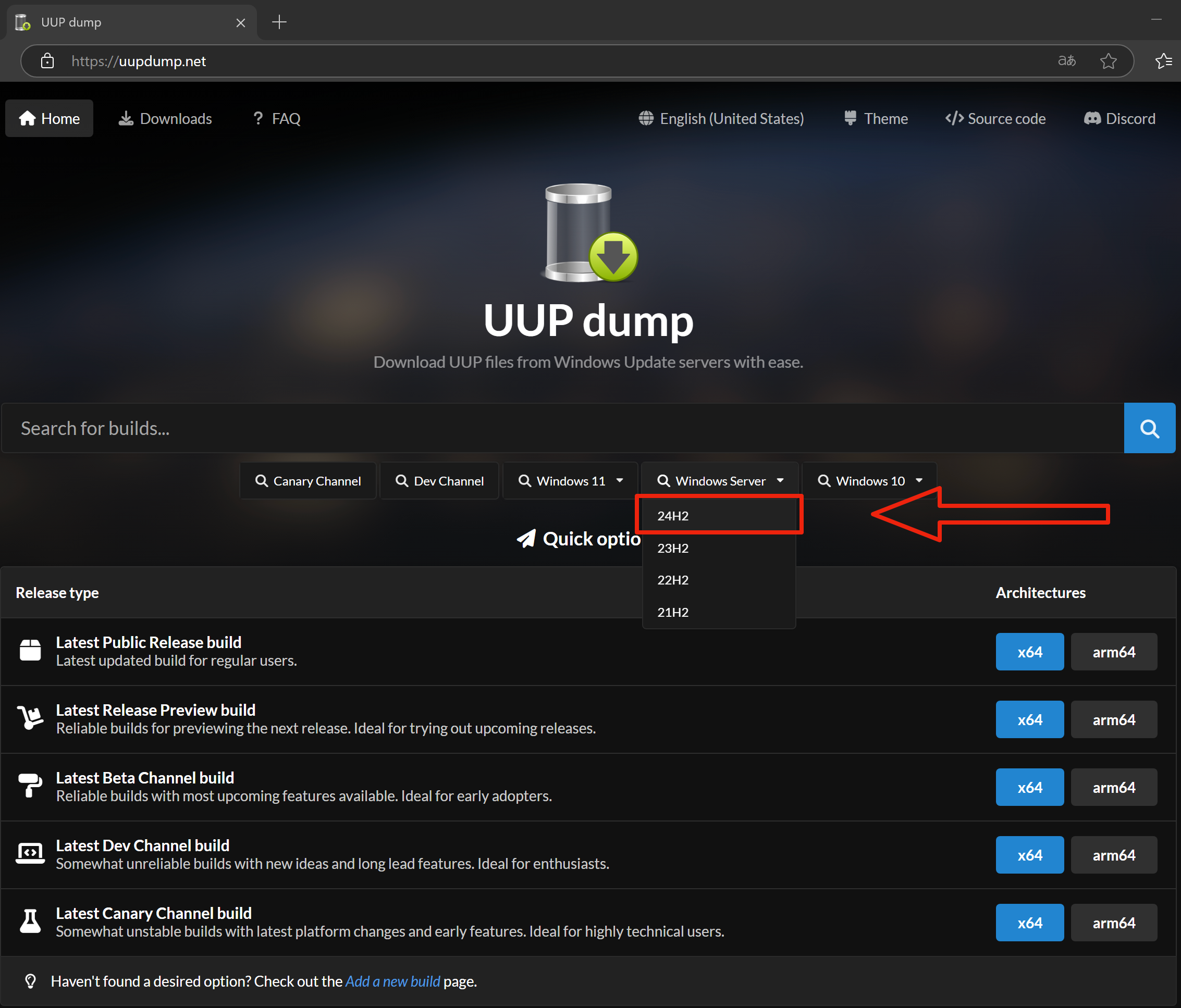
Pick a Windows version
Open the UUP Dump home page and choose the Windows version you want.
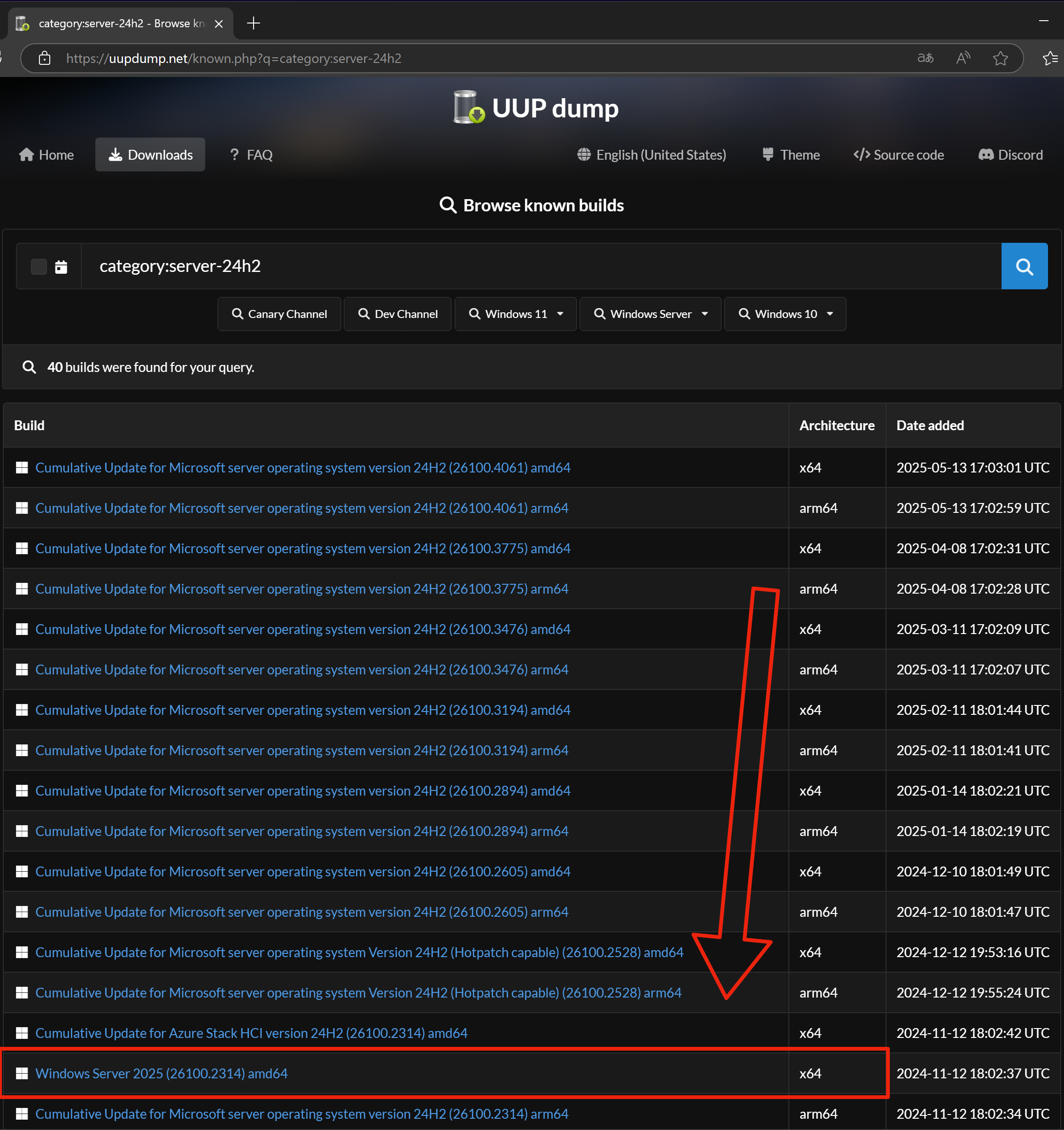
Pick a specific build
Pick the build: latest, Insider Preview channel, or a specific older build still listed.
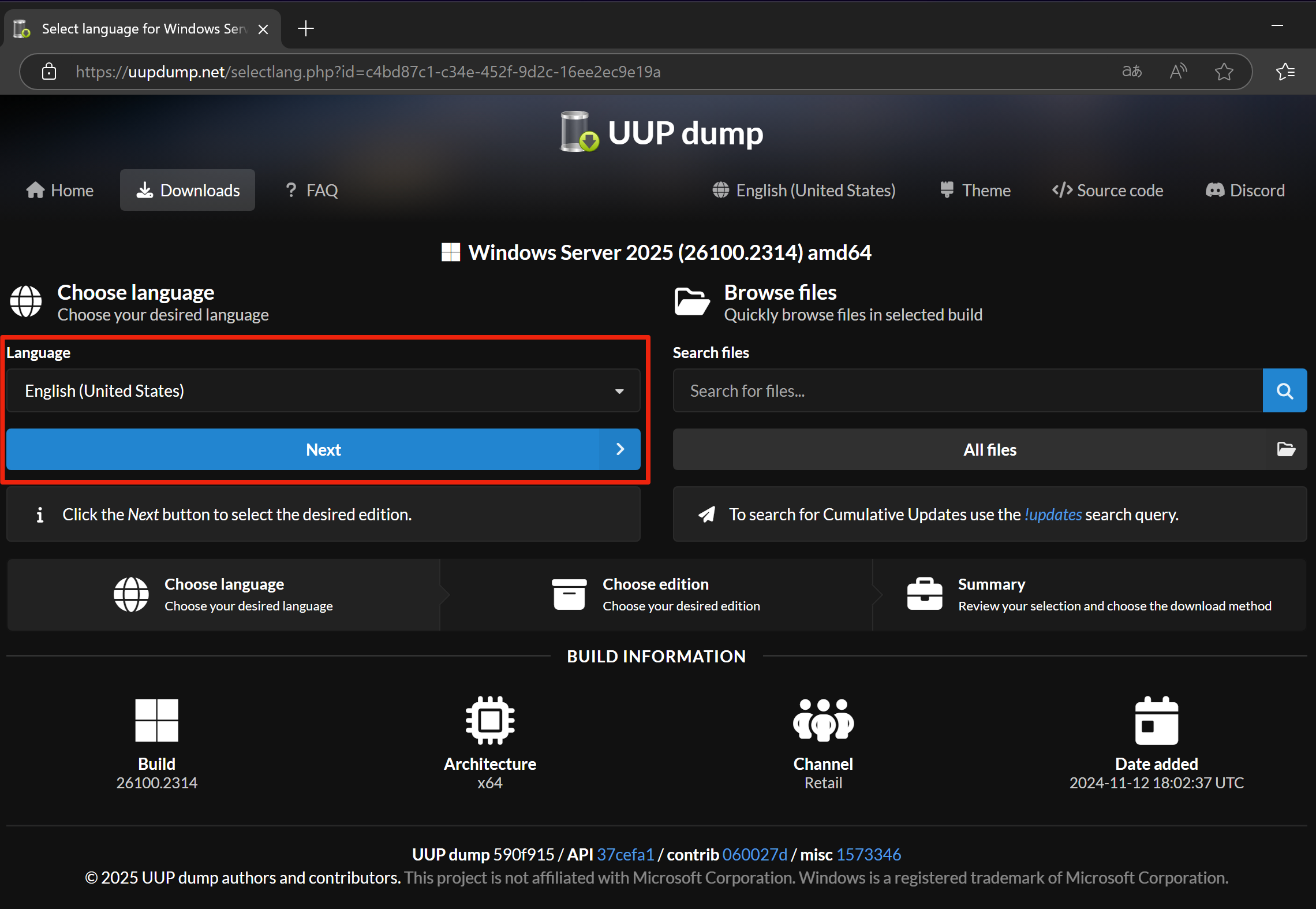
Pick a language
Pick the language the ISO should ship with.
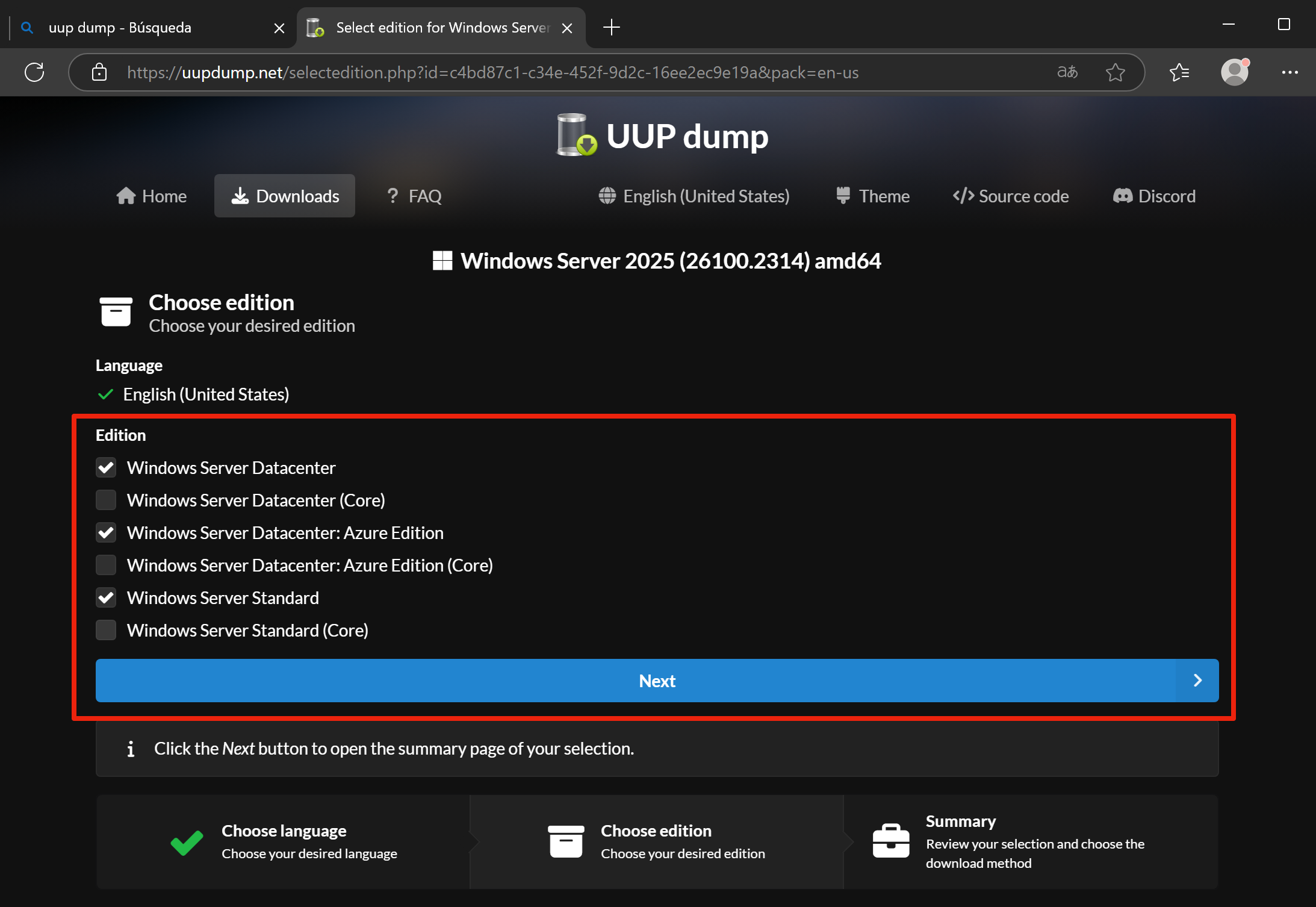
Pick editions
Pick the editions to bundle into the ISO (Home, Pro, Enterprise, …). You can combine several.
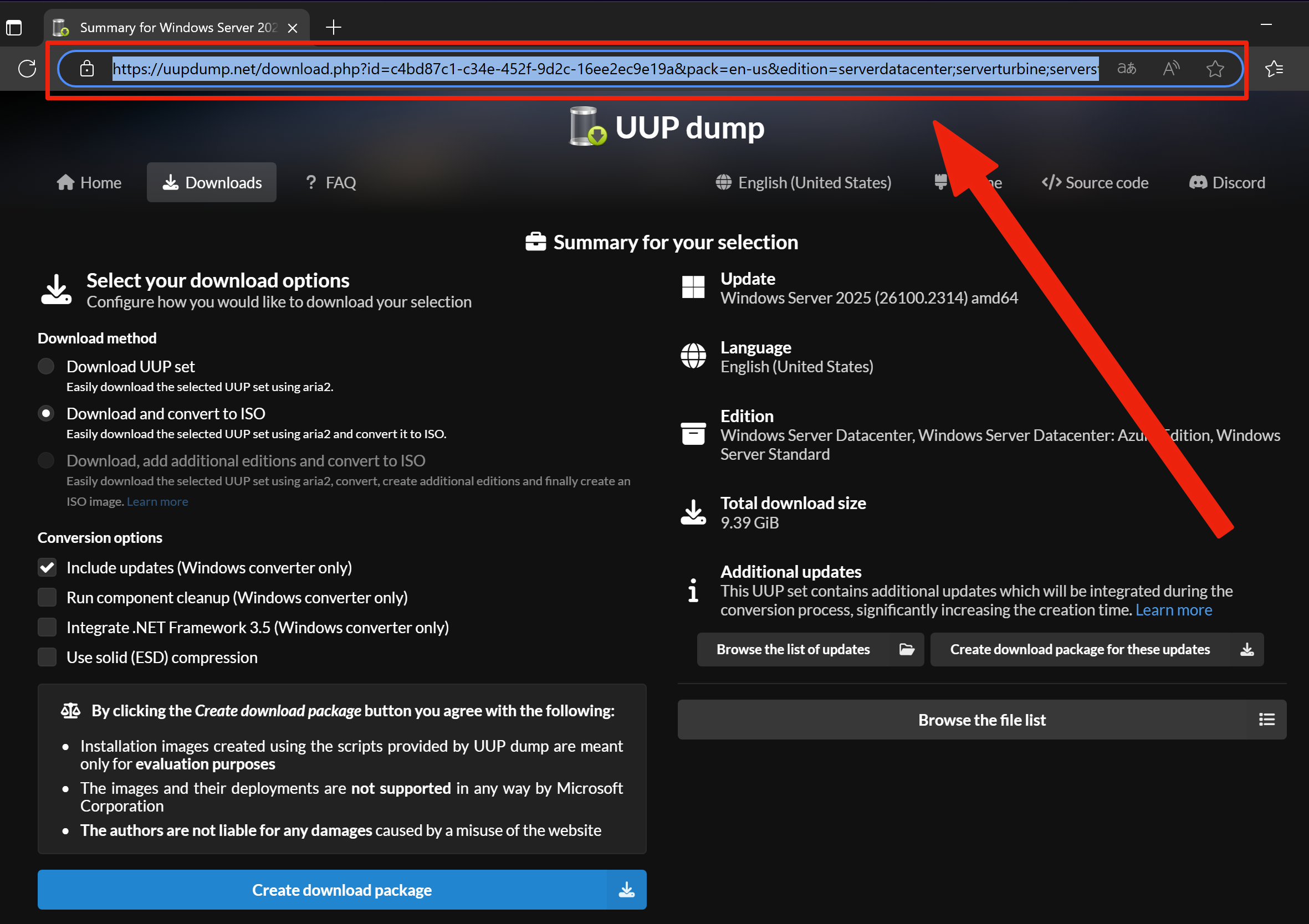
Copy the URL
On the final page, copy the URL from the browser address bar. It must contain id=…, pack=… and edition=…. That is the string the script will parse.
Step 2 · Run the creator
With the URL in hand, open ProxMenux and launch the creator:
Start UUP Dump ISO Creator
In ProxMenux go to Utilities → UUP Dump ISO Creator. The script checks dependencies and the ISO storage directory before asking for input.
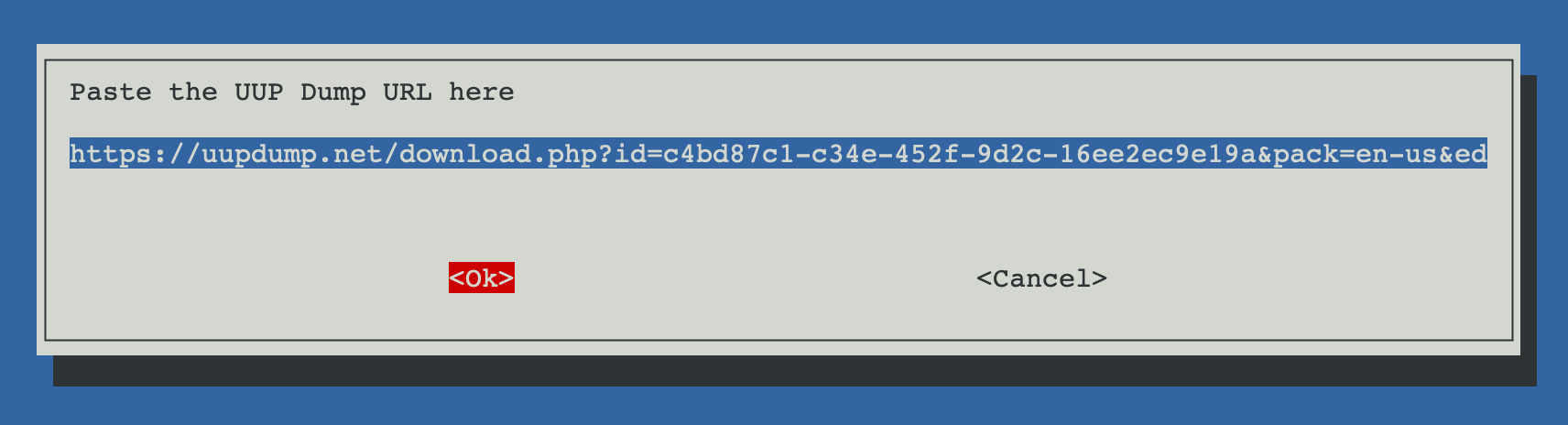
Paste the UUP Dump URL
Paste the URL in the input dialog. The script validates that the three required parameters are present; if any is missing it aborts cleanly.
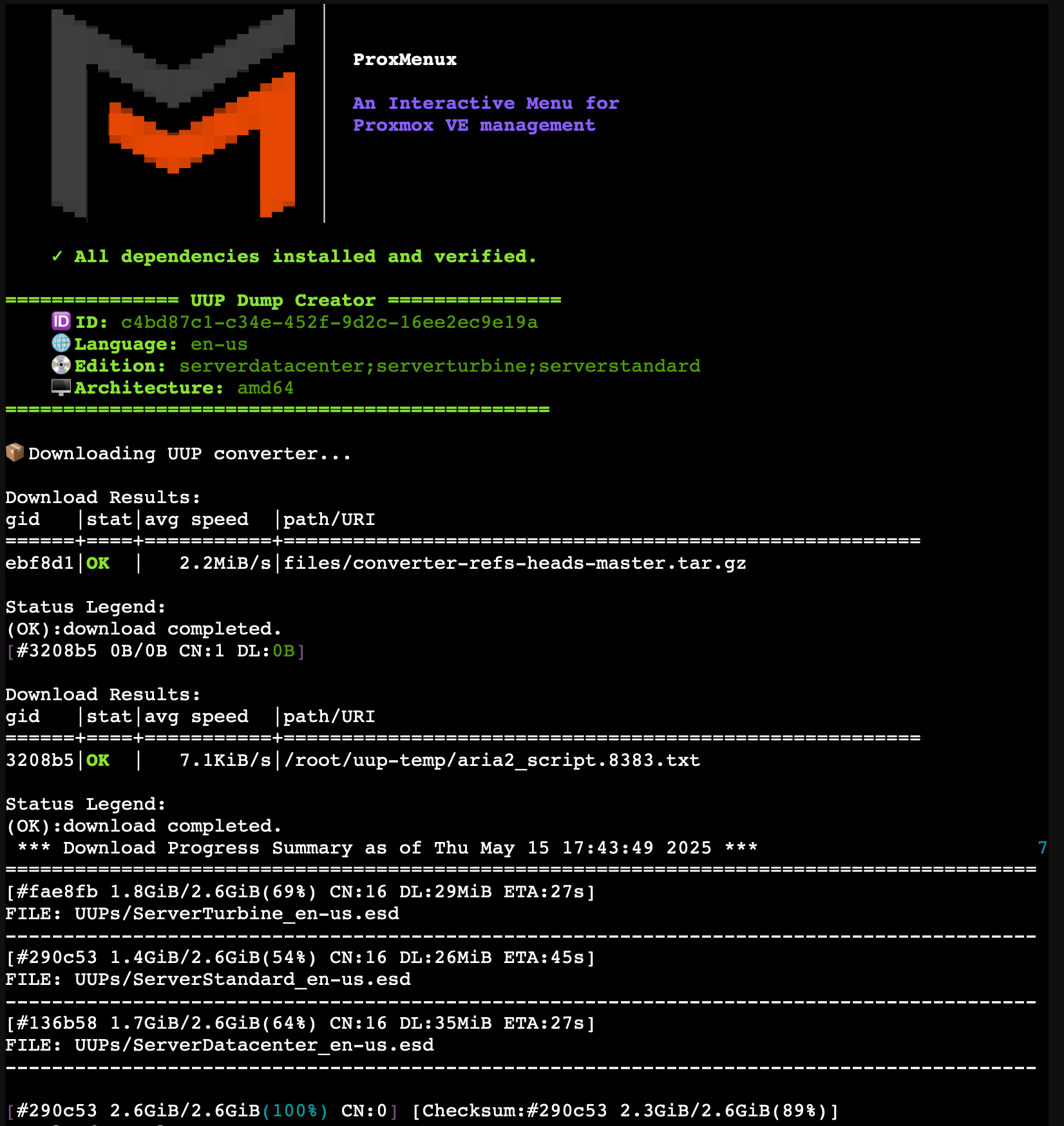
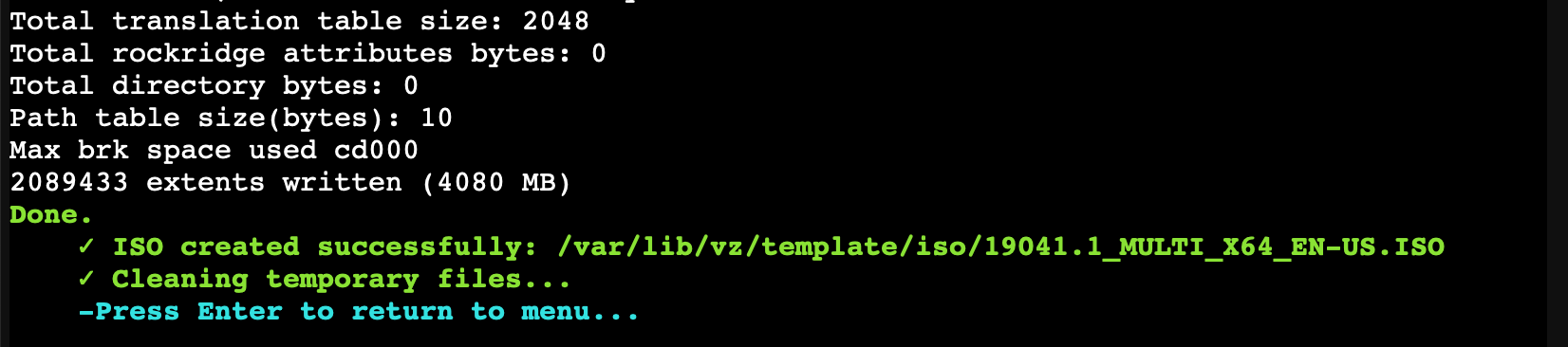
Wait for the build to finish
The console shows aria2 progress and then the converter output. When it finishes, the ISO lands in the detected Proxmox ISO storage and is ready to pick from Create VM → System Windows → Install with ISO from UUP Dump.
Temporary files
/root/uup-temp (uup-temp/ for downloads and uup-converter/ for the converter script). The creator cleans both after a successful run. On failure it still cleans up and returns you to the menu so a retry starts from scratch.