
Add Controller or NVMe to VM
Pass a whole SATA / SAS host bus adapter (HBA) or NVMe device into a Proxmox VM via PCI passthrough. ProxMenux checks and — with your consent — enables IOMMU, enumerates the passthrough-eligible devices, filters out conflicts and wires the assignment with qm set --hostpci.
What this does (and does not) do
vfio-pci. The VM sees the controller itself — not the individual disks behind it — and loads its own driver for that exact model. Every disk attached to that controller follows it automatically, with native SMART data, full firmware features and no Proxmox layer in between.How the script runs
The flow has two phases with clear separation between "collecting information, checking IOMMU and listing candidates" and "actually attaching the PCI device". Until the final confirmation nothing is written to the VM config.
┌─────────────────────────────────────────────┐
│  PHASE 1 — Detect, validate, plan           │
│  (nothing touched yet)                      │
└──────────────────┬──────────────────────────┘
                   ▼
      qm list — user picks target VM
                   │
                   ▼
      IOMMU status on the running kernel
      ├─ /sys/kernel/iommu_groups/* exists?
      │
      ├─ Yes → IOMMU active, continue
      │
      └─ No  → cmdline check + offer to enable
            CPU vendor detect (cat /proc/cpuinfo)
            ├─ Intel → write intel_iommu=on
            └─ AMD   → write amd_iommu=on
            Into:
            ├─ /etc/kernel/cmdline  (systemd-boot)
            └─ /etc/default/grub    (GRUB)
            + update-initramfs -u -k all
            + offer reboot now
            ├─ reboot accepted → reboot
            └─ reboot declined → abort
                 (re-run after reboot)
                   │
                   ▼
      Enumerate storage-class PCI devices
      lspci -Dnn filtered by class:
      ├─ SATA / SAS / SCSI / NVMe controllers
      ├─ Resolve IOMMU group via /sys path
      └─ For HBAs: list disks currently behind
                   │
                   ▼
      Conflict / eligibility filter
      ├─ Already in this VM's hostpci? → hide
      ├─ Already in another VM's hostpci?
      │    → block (shown with owner VM id)
      ├─ Carries the Proxmox root disk
      │    or any disk referenced by an LXC
      │    → block
      └─ Shared IOMMU group
         with non-storage members?
            → show ⚠ warning inline
                   │
                   ▼
      User selects device(s) via checklist
                   │
                   ▼
      Summary:
      (VM + each PCI device + IOMMU group
       membership + reboot status)
                   │
   ┌──────── Cancel   OR   Confirm ────┐
   ▼                                   ▼
Exit, nothing        ┌─────────────────┴─────────────────┐
was changed          │  PHASE 2 — Apply                   │
                     └─────────────────┬─────────────────┘
                                       ▼
                       Host side (once per session):
                       ├─ Add vfio-pci to /etc/modules
                       ├─ Append the device vendor:device
                       │  IDs to /etc/modprobe.d/vfio.conf
                       └─ update-initramfs -u -k all
                       (so the device is bound to vfio-pci
                        at next boot, not the native driver)
                                       │
                                       ▼
                       For each selected device:
                       ├─ Find next free hostpciN slot
                       │   (scans qm config)
                       └─ qm set <VMID> --hostpciN \
                             <BDF>,pcie=1
                             (e.g. 0000:01:00.0,pcie=1)
                                       │
                                       ▼
                       Verify: qm config <VMID> shows
                       the new hostpciN entries
                                       │
                                       ▼
                       If IOMMU was just enabled:
                       └─ reminder to reboot before
                          starting the VM
                                       │
                                       ▼
                       Guest on next boot sees the
                       controller directly + every disk
                       behind it (full SMART, native
                       firmware features, no Proxmox layer)
IOMMU groups — why the whole card leaves at once
PCI passthrough is done per IOMMU group, which is the smallest unit the CPU's IOMMU can isolate. Everything inside a group moves together. If your SATA controller shares its IOMMU group with the USB controller, passing the SATA card to a VM also takes the USB ports with it — often undesirable.
          Host PCIe bus — grouped by IOMMU
                      │
                      ▼
    ┌─────────────────────────────────────────┐
    │  Group 12                               │
    │  ────────                               │
    │  00:17.0   SATA HBA                     │
    │    └── sda sdb sdc sdd                  │
    │                                         │
    │  Pass-through takes:                    │
    │    the HBA + every disk on it           │
    │                                         │
    │  ✓ clean — no extra members in group    │
    └──────────────────┬──────────────────────┘
                       │
                       ▼
    ┌─────────────────────────────────────────┐
    │  Group 13                               │
    │  ────────                               │
    │  01:00.0   NVMe controller              │
    │                                         │
    │  Pass-through takes:                    │
    │    the NVMe controller itself           │
    │                                         │
    │  ✓ clean — NVMe alone in its group      │
    └──────────────────┬──────────────────────┘
                       │
                       ▼
    ┌─────────────────────────────────────────┐
    │  Group 14                               │
    │  ────────                               │
    │  02:00.0   SATA HBA                     │
    │    └── sde sdf                          │
    │  02:00.1   USB 3.0 controller           │
    │                                         │
    │  Pass-through takes:                    │
    │    SATA HBA + USB 3.0 controller        │
    │    (whole group leaves together)        │
    │                                         │
    │  ⚠ shared group — the USB ports will    │
    │    also leave the host. Review whether  │
    │    that is acceptable before confirming.│
    └─────────────────────────────────────────┘
ProxMenux shows the IOMMU group next to each device and warns you when a group carries more than just the controller you want. You can still proceed if the extra devices in the group are acceptable (all disk controllers, for example), or back out if they are not.
Prerequisites
- CPU and motherboard support VT-d (Intel) or AMD-Vi, and it is enabled in firmware (BIOS/UEFI). ProxMenux can enable the kernel side for you, but it cannot flip the firmware switch.
- The target VM is powered off before attaching PCI devices.
- The controller/NVMe is not the one holding the Proxmox root filesystem. The script hides anything in use by the host.
- Guest OS has drivers for the controller model. Linux covers virtually every HBA out of the box; Windows needs the vendor driver installed before you boot with the controller attached.
Live migration is not possible
Step-by-step
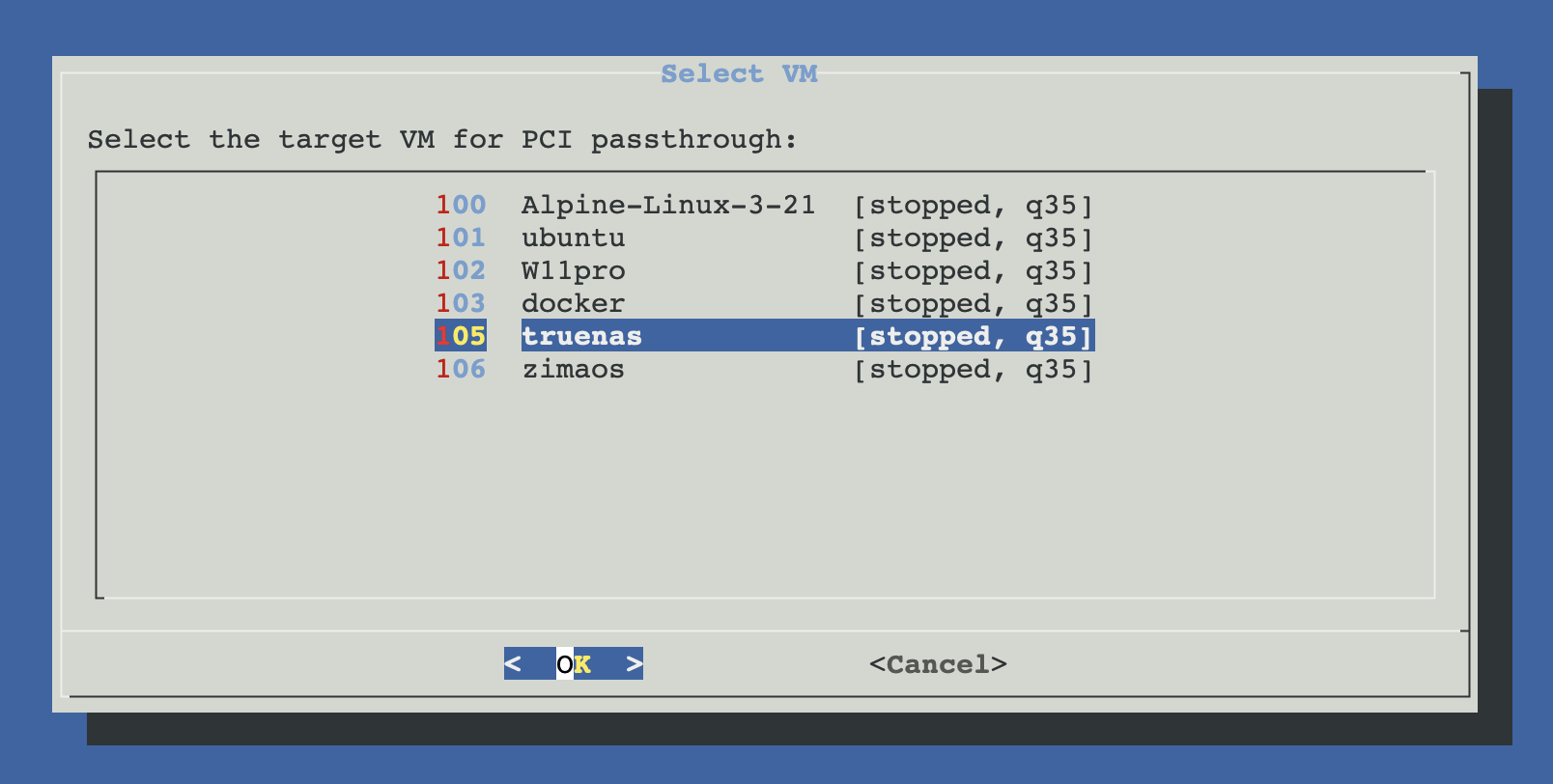
Pick the target VM
ProxMenux reads qm list and shows every VM. Pick the one that will receive the controller.
IOMMU check
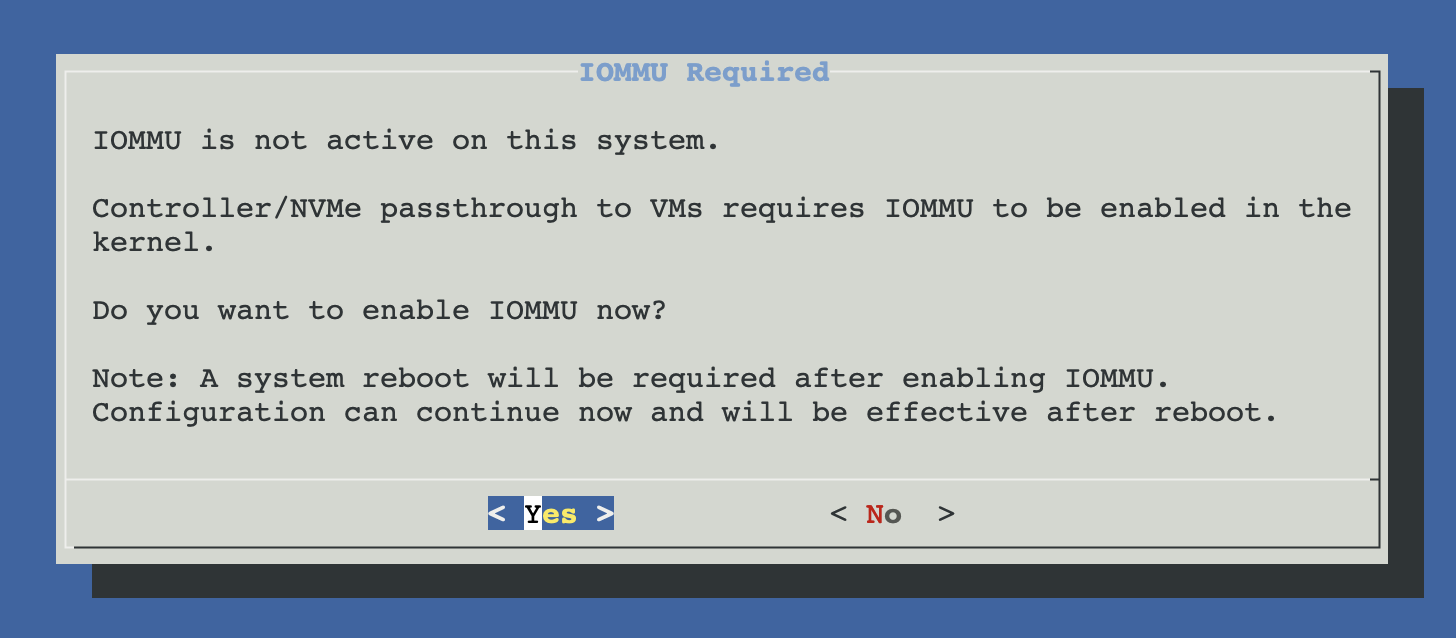
If IOMMU is not enabled on the kernel cmdline, ProxMenux offers to enable it. It edits /etc/kernel/cmdline (for systemd-boot) or /etc/default/grub (for GRUB) and appends the correct parameter for your CPU:
intel_iommu=onfor Intel CPUs.amd_iommu=onfor AMD CPUs.
A reboot is required after this change. The script prompts you to reboot now or later; the passthrough cannot continue until the new kernel cmdline is active.
Device enumeration
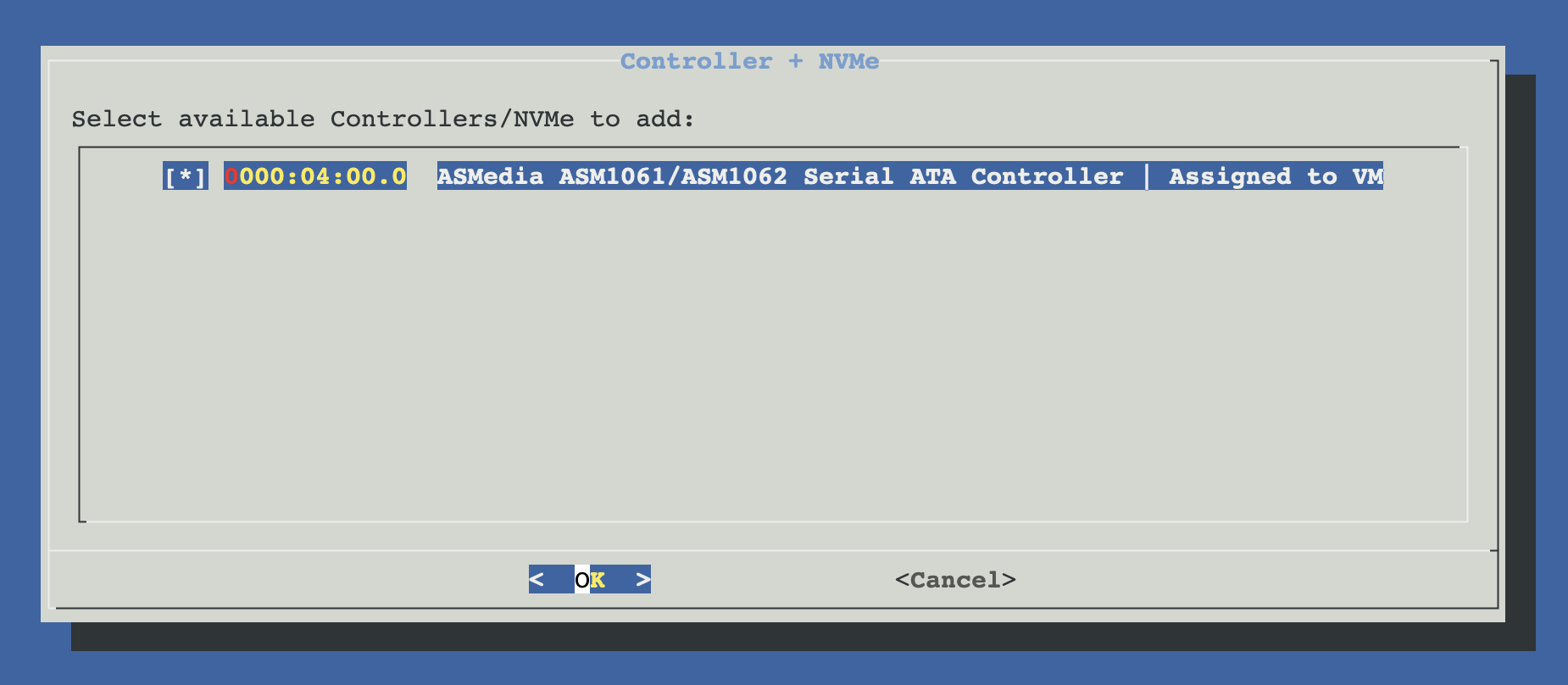
ProxMenux lists every storage controller (SATA / SAS HBA) and every NVMe device on the PCI bus. For each device it shows:
- PCI address (
00:17.0,01:00.0, …). - Vendor / device description.
- IOMMU group — and a ⚠ warning if the group is shared with other, unrelated devices.
- The disks currently behind the controller (so you know what will follow it to the VM).
Conflict detection
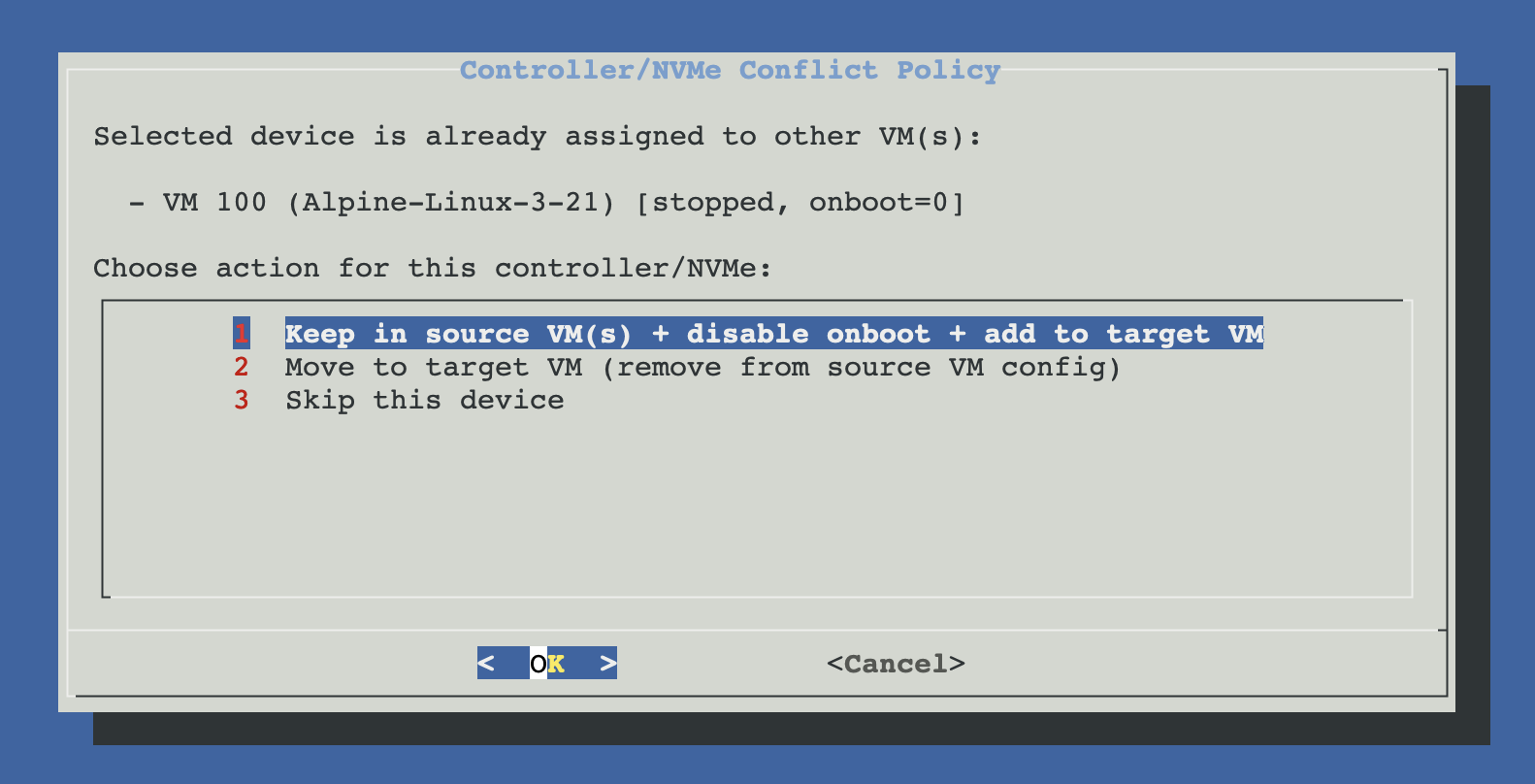
The script blocks devices that are clearly unsafe: already assigned to another VM (via hostpci in that VM's config), in use by the host (root disk controller), or sitting in an IOMMU group whose other members the script cannot identify safely. Eligible devices are available for selection.
Attach and finalise
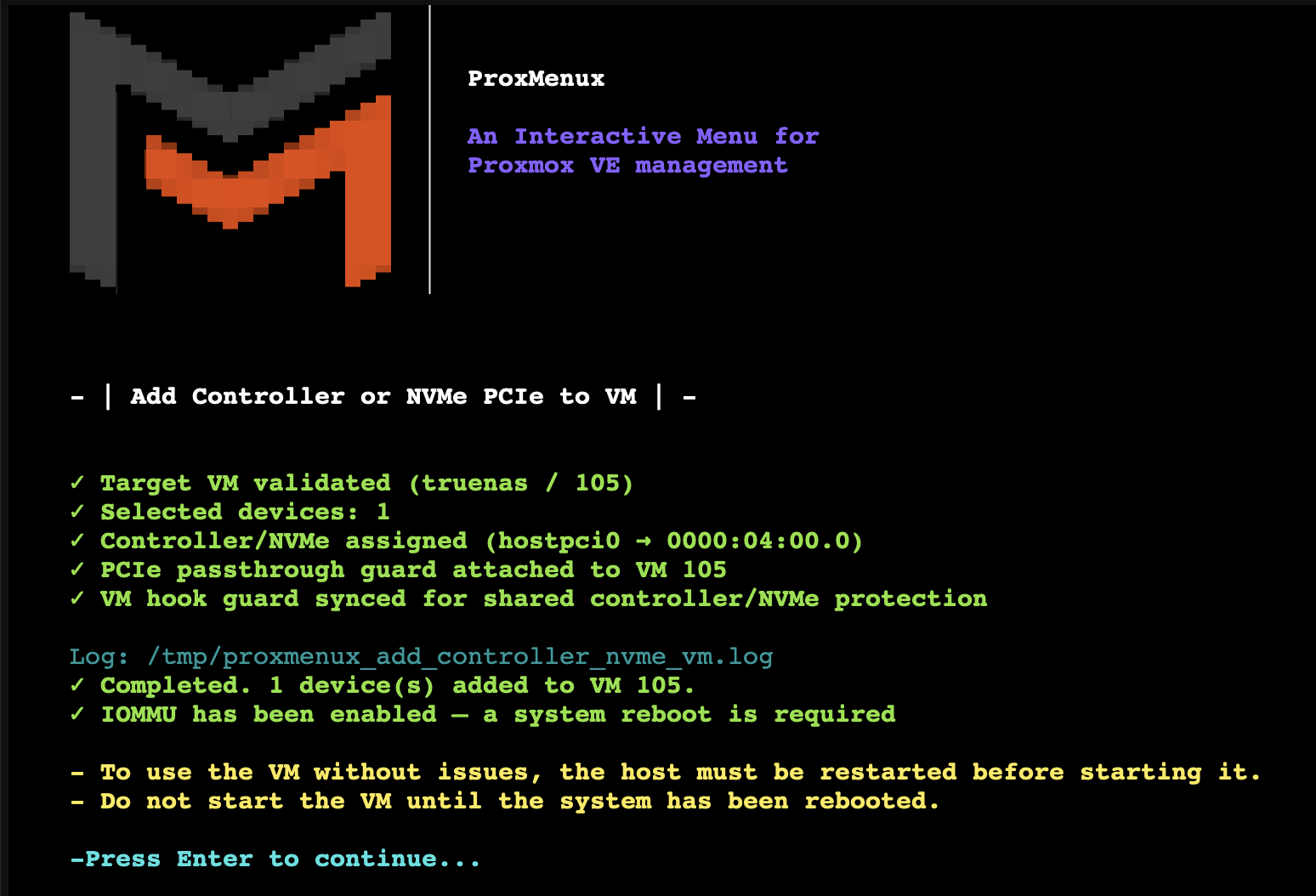
For every selected device ProxMenux runs qm set <VMID> --hostpciN <pci-addr>,pcie=1, choosing the next free hostpci slot. If IOMMU was enabled during this session you are reminded to reboot before starting the VM.
Manual equivalent
# 1. verify IOMMU is active
dmesg | grep -iE "DMAR|IOMMU" | head
ls /sys/kernel/iommu_groups/

# 2. list IOMMU groups and their members
for d in /sys/kernel/iommu_groups/*/devices/*; do
  n=$(basename "$d"); g=$(dirname "$(dirname "$d")")
  printf 'group %3d  %s  %s\n' "$(basename "$g")" "$n" \
    "$(lspci -s "$n" | cut -d' ' -f2-)"
done | sort -n

# 3. attach a storage controller at PCI 0000:00:17.0 to VM 101
qm set 101 --hostpci0 0000:00:17.0,pcie=1

# 4. verify
qm config 101 | grep ^hostpci
Troubleshooting
IOMMU enabled but no groups under /sys/kernel/iommu_groups/
VM fails to start with "hostpciN: device busy"
lspci -nnk -s <addr> to see which driver is bound; it should be vfio-pci. A full host reboot usually clears this.Guest sees the controller but not the disks
Shared IOMMU group also exports an unrelated device
Related
- Import Disk to VM — alternative model: attach a physical disk via Proxmox without full PCIe passthrough.
- Add GPU to VM (Passthrough) — same IOMMU / VFIO concepts applied to a GPU.
- GPU Passthrough commands — IOMMU verification commands also apply to controller / NVMe passthrough.
- Disk Manager overview.