
SMART Disk Health & Test
Read SMART data and trigger self-tests on the physical disks attached to the Proxmox host. ProxMenux auto-installs smartmontools for SATA / SAS and nvme-cli for NVMe, runs the action inside the drive firmware (long tests survive terminal close) and exports JSON results for the ProxMenux Monitor.
What this is for
smartctl / nvme invocation, and persists the output as JSON so the Monitor can graph trends over time.How the script runs
All actions here are non-destructive — SMART reads the drive firmware counters, and self-tests are queued inside the drive itself. No phase separation is needed. The flow is: dependency check → disk selection → action selection → tool invocation (smartctl or nvme-cli depending on the disk bus) → printed output plus JSON export for the Monitor.
        Detect dependencies (first run)
        ├─ smartctl  present? (smartmontools)
        └─ nvme      present? (nvme-cli)
        Any missing → apt-get install silently
                           │
                           ▼
        Enumerate disks on host (lsblk)
        (no safety filter — read-only tool,
         root / system disks are shown too)
                           │
                           ▼
        User picks a disk
                           │
                           ▼
        Detect disk class from path / TRAN
        ├─ /dev/nvme*      → NVMe
        └─ anything else   → SATA / SAS / SCSI
                           │
                           ▼
        Action menu (loop — stays open after
        each action so you can chain queries)
                           │
  ┌────────────────┬────────────────┬────────────────┬───────────────┐
  ▼                ▼                ▼                ▼               ▼
 Quick         Full             Short            Long             Check
 status        report           test             test             progress
 (instant)     (instant)        (~2 min)         (hours)          (instant)
  │             │                │                │                │
  │             │                │                │                │
  │             │                │ Long test only:                  │
  │             │                │ confirm "runs in background,     │
  │             │                │ result saved to JSON"            │
  │             │                │                │                │
  │             │                └───────┬────────┘                │
  │             │                        │                         │
  │             │               Queued on drive firmware:           │
  │             │               ├─ SATA/SAS: smartctl -t short|long │
  │             │               └─ NVMe:     nvme device-self-test  │
  │             │               Returns to menu while running       │
  │             │                                                  │
  ▼             ▼                                                  ▼
 Read:         Read:                                         Read status:
 SATA/SAS →    SATA/SAS →                                   SATA/SAS →
  smartctl -H   smartctl -x                                  smartctl -c
  smartctl -A                                                NVMe →
                                                             nvme self-test-log
 NVMe →        NVMe →
  nvme smart-   nvme smart-log
  log           + nvme id-ctrl
  │             │                                                  │
  └──────┬──────┴──────────────────────────────────────────────────┘
         │
         ▼
   Output to terminal (color-coded when applicable)
         +
   JSON export to:
   /usr/local/share/proxmenux/smart/<disk>/
       <YYYY-MM-DD_HHMMSS>_<action>.json
         │
         ▼
   Retention policy: oldest beyond the limit
   are trimmed automatically
         │
         ▼
   ProxMenux Monitor reads these files to
   render health trends per disk over time
Dependencies
The tool auto-installs what it needs on first run. SATA / SAS drives rely on smartmontools; NVMe drives rely on nvme-cli. Both:
apt-get install smartmontools nvme-cliAvailable actions
| Action | What it reads / runs | Duration |
|---|---|---|
| Quick health status | Overall PASSED/FAILED + key attributes.<br/>smartctl -H + -A (SATA/SAS) or nvme smart-log (NVMe). | Instant |
| Full report | Complete SMART data, scrollable. smartctl -x for SATA/SAS or nvme smart-log + id-ctrl for NVMe. | Instant |
| Short test | Basic surface and electrical check, queued inside the drive firmware. | ~2 minutes |
| Long test | Full scan of the entire surface. Runs on the drive hardware — persists even if you close the terminal. | Hours (disk size dependent) |
| Check test progress | Status of the active or most recent self-test. | Instant |
Long tests survive terminal close
JSON export for the Monitor
Every run writes a timestamped JSON file to /usr/local/share/proxmenux/smart/<disk>/. The structure is:
/usr/local/share/proxmenux/smart/
├── sda/
│   ├── 2026-04-23_145312_status.json
│   ├── 2026-04-23_180041_short.json
│   └── 2026-04-24_020015_long.json
└── nvme0n1/
    ├── 2026-04-23_145318_status.json
    └── 2026-04-24_021407_long.json
The ProxMenux Monitor picks these up to render health trends per disk; old files are rotated out automatically once the retention limit is reached.
Step-by-step
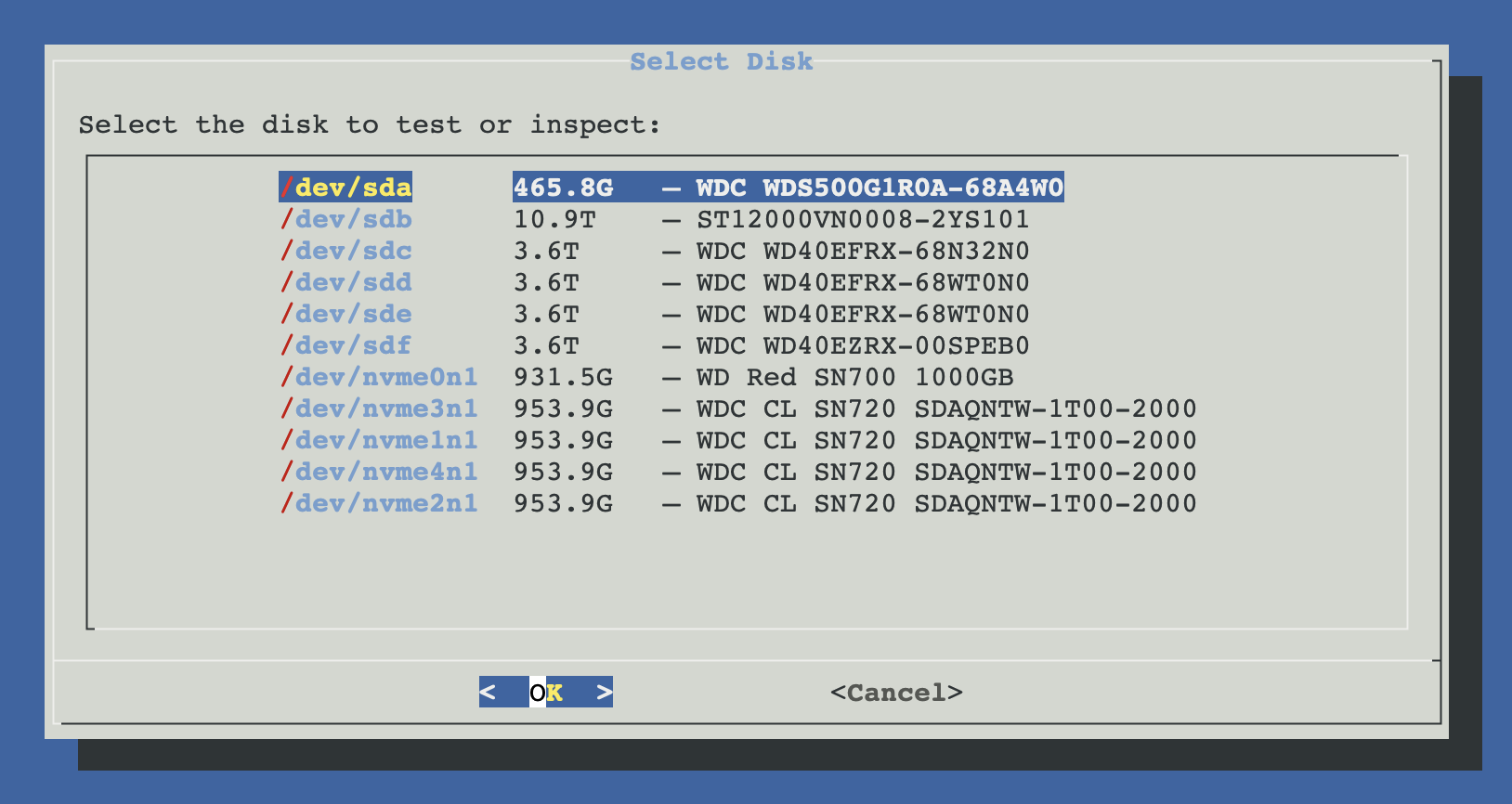
Pick a disk
ProxMenux lists every physical disk on the host with its model and size. Unlike the Format tool, this list is not filtered by safety — reading SMART is a non-destructive operation.
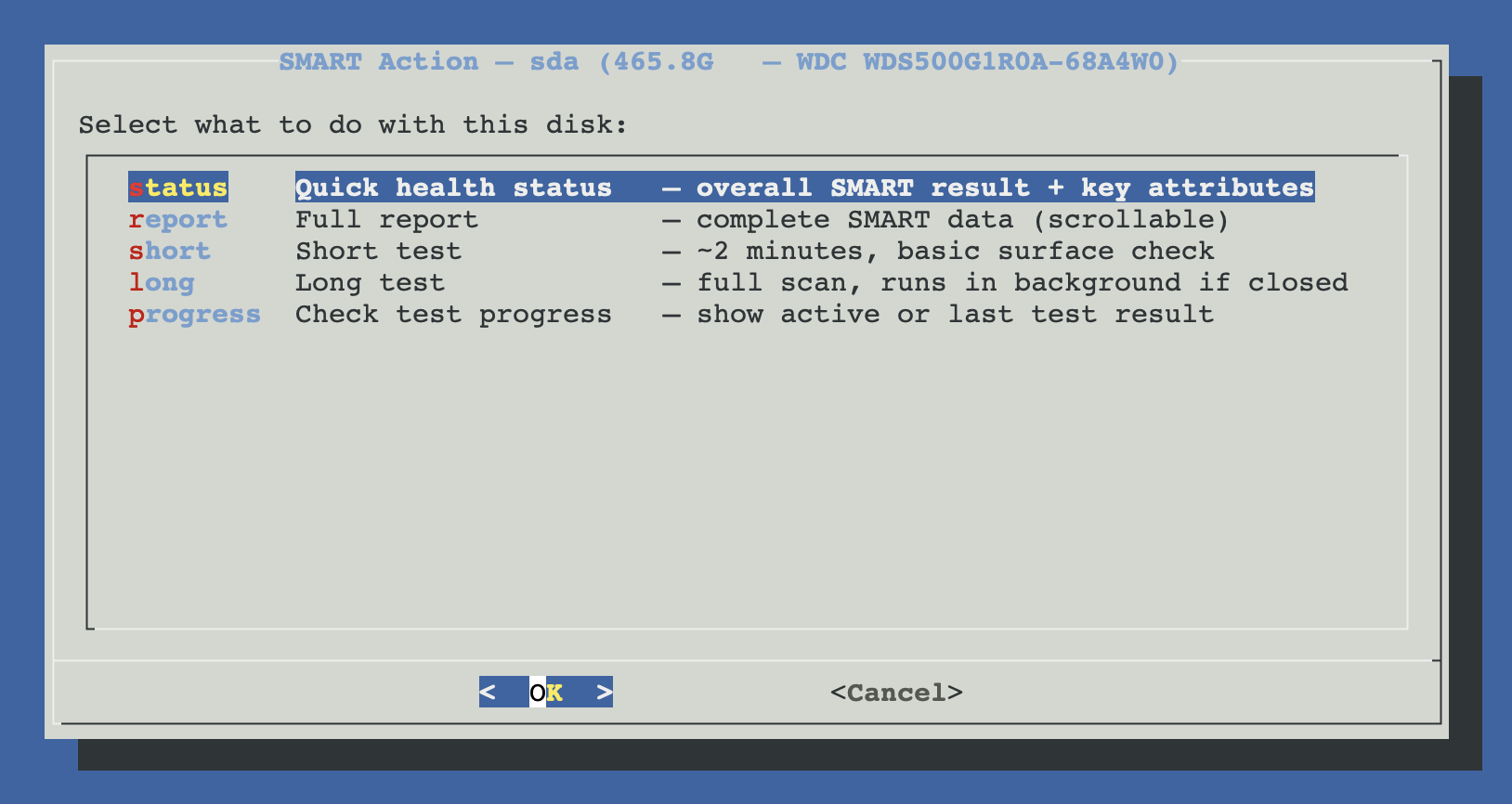
Pick an action
Choose between Quick health status, Full report, Short test, Long test or Check progress. The menu stays open after each action so you can chain several queries against the same disk.
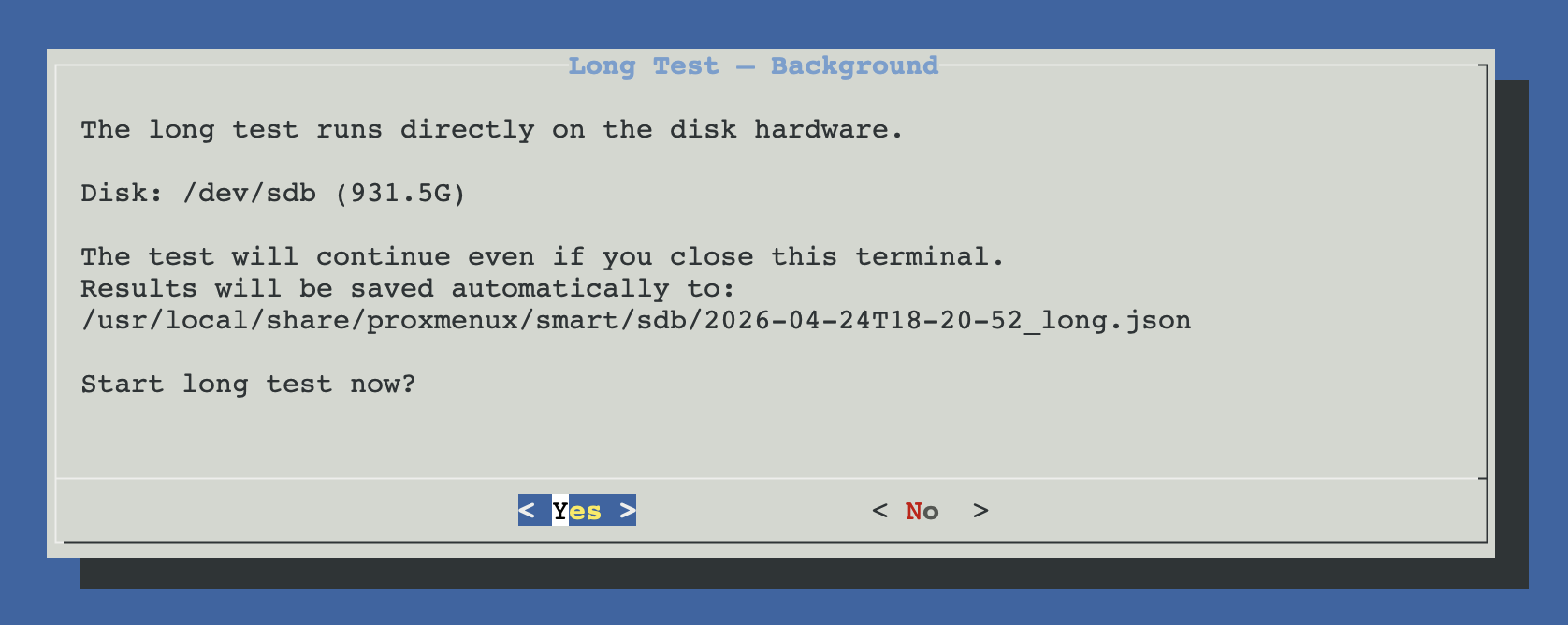
(Long test only) Confirm background execution
ProxMenux warns that the test will keep running after the terminal closes and shows where the JSON result will land. Accept to queue it.
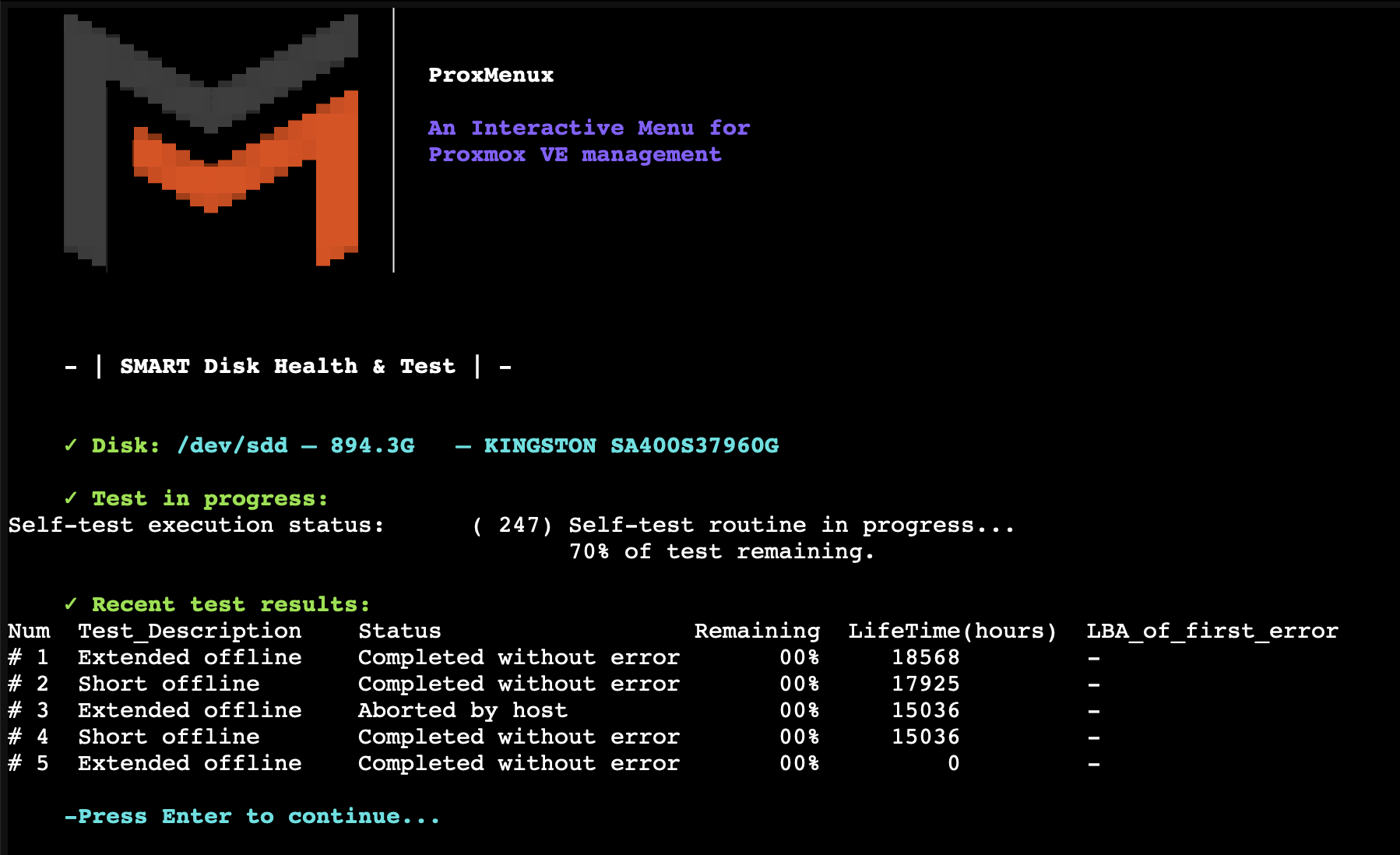
Review results
Status and report are printed to the terminal and written to JSON. For long tests, return later and run Check test progress on the same disk to see the outcome.
Manual equivalents
# --- SATA / SAS drives (smartmontools) ---
# quick health
smartctl -H /dev/sdX
smartctl -A /dev/sdX           # attribute table

# full report
smartctl -x /dev/sdX

# self-tests
smartctl -t short    /dev/sdX
smartctl -t long     /dev/sdX
smartctl -c /dev/sdX | head    # current test progress

# --- NVMe drives (nvme-cli) ---
nvme smart-log   /dev/nvme0n1
nvme id-ctrl     /dev/nvme0n1
nvme self-test-log /dev/nvme0n1
NVMe self-tests are drive-firmware dependent
nvme smart-log + id-ctrl) are still the most reliable health signal.Troubleshooting
"Could not read SMART data from /dev/sdX"
smartctl -d megaraid,N /dev/sdX. For HBAs in IT mode the direct invocation works.Long test never completes
smartctl -c to see percentage remaining; if it is stuck at a fixed LBA, the disk is failing at that sector.Related
- Format / Wipe Physical Disk — reuse a disk after confirming it's healthy.
- Storage and Disks commands → SMART Disk Health — copy-pasteable smartctl / nvme reference.
- ZFS Management commands — zpool scrub for the storage-layer equivalent of SMART tests.
- ProxMenux Monitor — Storage tab — disk drill-in that consumes the JSON exported here (full SMART table, history, PDF report).
- ProxMenux Monitor — Hardware tab — Storage Summary with model, capacity and negotiated link speed (current vs maximum on NVMe).
- Disk Manager overview.