
Install Coral TPU on the Host
Prepare the Proxmox host so a Coral TPU can later be passed to an LXC container. ProxMenux auto-detects whether you have a M.2 / Mini-PCIe card, a USB Accelerator, or both, and runs only the install path that applies — kernel-module build via DKMS for PCIe, Google's Edge TPU runtime for USB.
What this does
gasket + apex) built with DKMS so they survive kernel upgrades. USB Accelerators just need the Google Edge TPU runtime (libedgetpu1-std) from Google's own APT repository. Both types plugged in? Both paths run in sequence.Which Coral do I have?
The two kinds of Coral devices you can plug into a Proxmox host look very different and the host-side install is very different too. The script handles both, but it's good to know what you have before running anything:
| Form factor | Detection | Install type | Reboot? |
|---|---|---|---|
| M.2 / Mini-PCIe (dual-edge TPU on an M.2 card) | PCI vendor 1ac1 | Kernel module (gasket + apex) via DKMS | Yes |
| USB Accelerator (small plastic dongle) | USB 1a6e:089a (unprogrammed) / 18d1:9302 (programmed) | User-space runtime (libedgetpu1-std) from Google APT repo | No |
Before you start
- A Coral TPU plugged into the host (M.2, Mini-PCIe or USB). No Coral means no install — the script just tells you nothing was detected and exits.
lspci -d 1ac1: ; lsusb | grep -E '1a6e:089a|18d1:9302' - Internet access on the host — for PCIe the DKMS path clones a GitHub repo, for USB it adds a Google APT repo and downloads the
libedgetpu1-stdpackage. - Kernel headers available via APT. On Proxmox this means
proxmox-headers-$(uname -r)must be installable — needed only for the PCIe/M.2 path, but the script fetches it automatically so you don't have to. - Be OK with a reboot if you have PCIe hardware. The kernel module is built and loaded at the end, but a fresh boot is the clean way to confirm it comes up on its own.
This only prepares the host
Running the installer
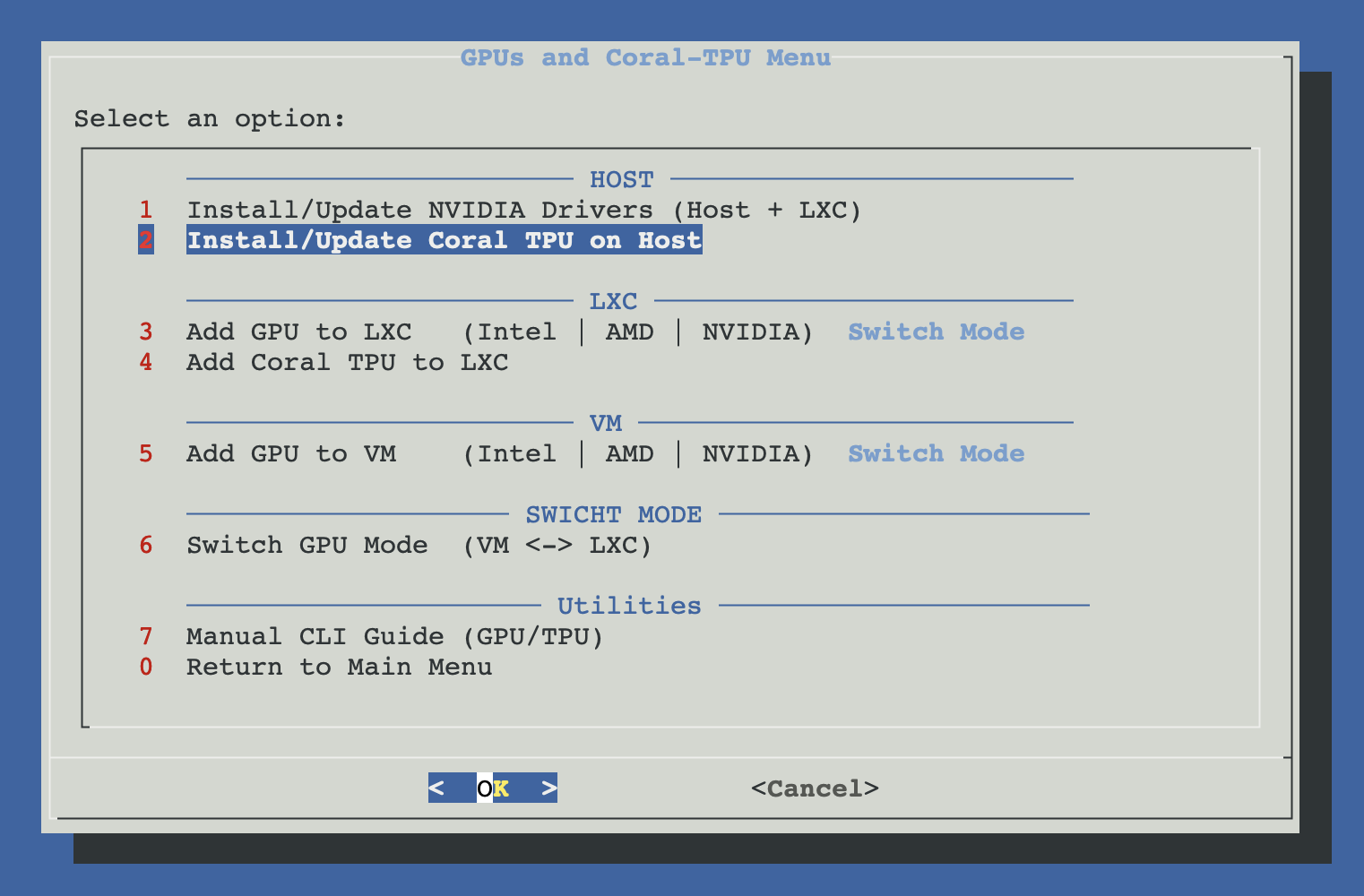
Open ProxMenux on the host, go to Hardware: GPUs and Coral-TPU → Install/Update Coral TPU on Host.
How the script runs
Hardware is detected first, so the install plan is shaped to your actual setup. Nothing is installed until you confirm.
Detect Coral hardware
        │
        ├─ PCIe / M.2 detected ──► build gasket + apex with DKMS
        │                          └─ reboot recommended
        │
        ├─ USB detected ─────────► install libedgetpu runtime
        │                          └─ no reboot required
        │
        └─ no PCIe / M.2 detected
             ├─ no legacy gasket-dkms state ─► no PCIe changes
             └─ legacy gasket-dkms state ────► offer optional cleanup
                                                └─ USB runtime untouched
Walking through the flow
Hardware detection
The script reads /sys/bus/pci/devices/*/vendor looking for 0x1ac1 (Global Unichip Corp., the silicon vendor of the Coral TPU chips) and runs lsusb looking for the USB Accelerator IDs. The USB device has two IDs depending on whether its firmware has been loaded yet:
1a6e:089a— Global Unichip, unprogrammed state (before the Edge TPU runtime talks to it the first time).18d1:9302— Google, programmed state (after the runtime loads firmware onto it).
If neither is found, you get an informative dialog and the script exits cleanly — no partial changes on the host.
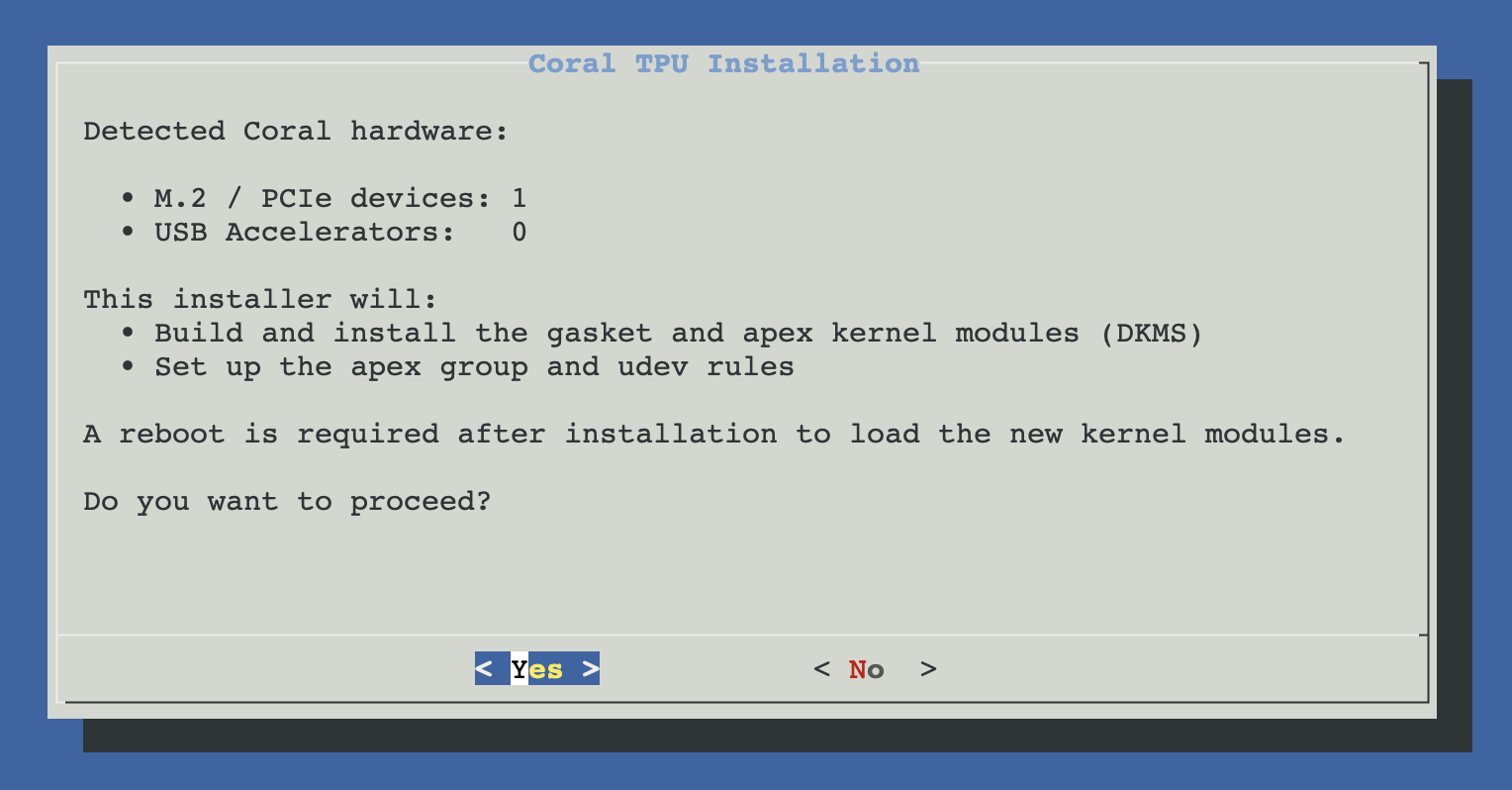
Pre-install prompt
Before touching anything, a single dialog summarises what was detected and what will be installed. You can cancel here without any side effects.
PCIe path — gasket + apex kernel modules via DKMS
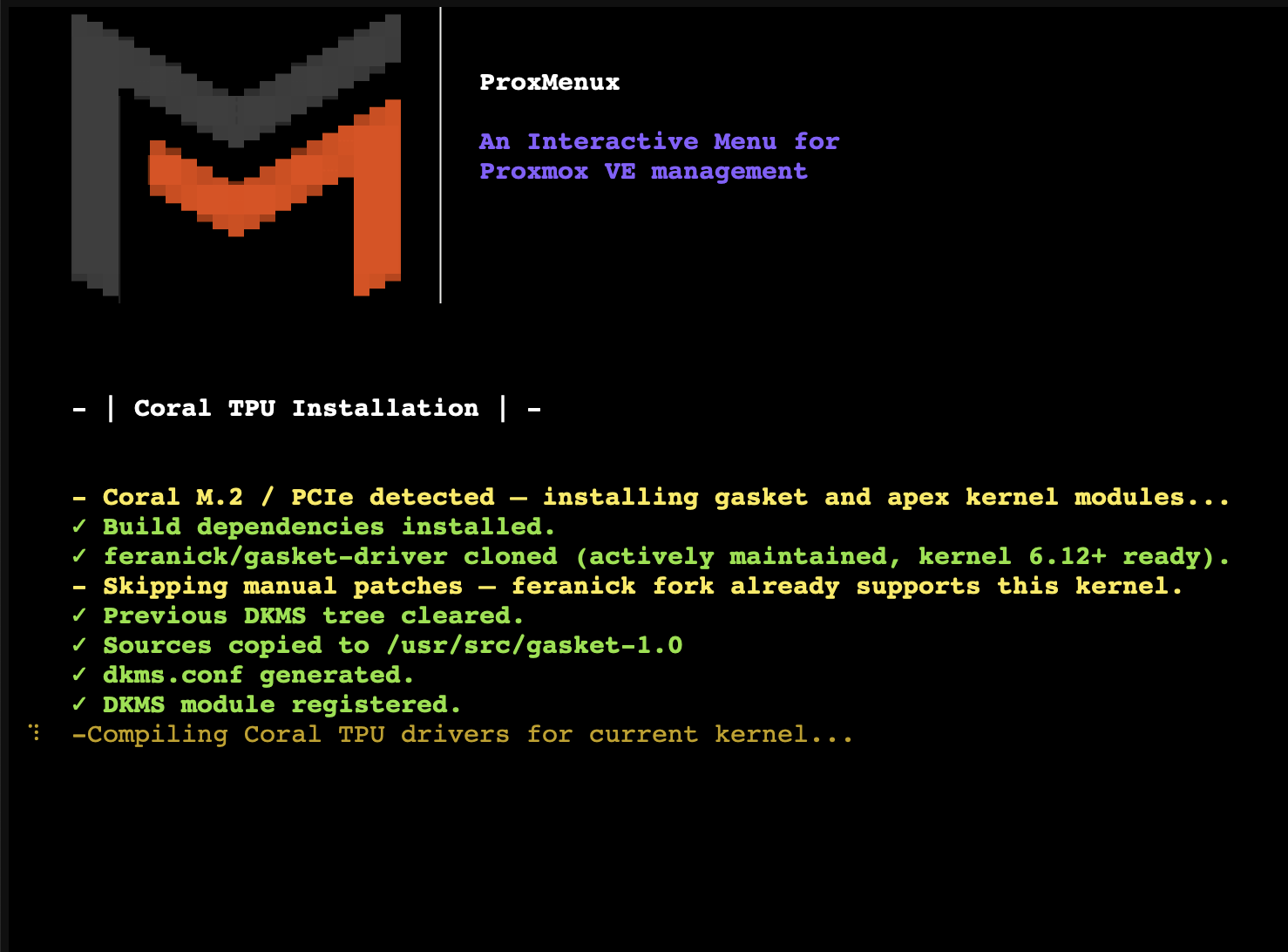
Only runs if the script found a PCIe / M.2 Coral. It's the heavier of the two paths because it's compiling a kernel module for your exact running kernel.
- Cleanup. If a previous
gasket-dkmsinstall left dpkg in a broken state (typical after a PVE 9 kernel upgrade where DKMS autoinstall failed silently), force-purge it. - Install build deps:
git,dkms,build-essential,proxmox-headers-$(uname -r). - Clone the driver source. Prefers the feranick/gasket-driver community fork (actively maintained, kernel 6.12+ ready). Falls back to google/gasket-driver if feranick is unreachable, applying kernel-specific patches:
- Kernel 6.5+ :
no_llseekremoved upstream →noop_llseeksubstitution - Kernel 6.13+ :
MODULE_IMPORT_NS(DMA_BUF)requires string literal
- Kernel 6.5+ :
- Stage sources under
/usr/src/gasket-1.0/, generatedkms.conf, register withdkms add. - Build + install:
dkms buildthendkms install. If anything fails, the last 50 lines ofmake.logprint to the terminal so you see the real error — no hunting in log files. - Create the
apexgroup + udev rules (/etc/udev/rules.d/99-coral-apex.rules) so/dev/apex_*nodes get the right group on the next boot. - Load the modules:
modprobe gasket+modprobe apex.
USB path — Edge TPU runtime from Google
Only runs if a USB Accelerator was detected. Much simpler:
- Add Google's GPG key to
/etc/apt/keyrings/coral-edgetpu.gpg. - Add the APT repository to
/etc/apt/sources.list.d/coral-edgetpu.listwithsigned-by=pointing at the keyring (modern, non-deprecated format). - Install
libedgetpu1-std— the standard-performance Edge TPU runtime. - Reload udev so the rules shipped with the package apply to the USB device without having to unplug/replug.
Why libedgetpu1-std and not libedgetpu1-max?
max variant overclocks the Coral and runs hotter. Fine for desktop use with airflow; not recommended inside small NUC / Mini-PC builds or passively cooled Proxmox hosts. If you really want it, install by hand afterwards: apt install libedgetpu1-max.Reboot prompt (only if PCIe ran)
If the PCIe path ran, the script offers a reboot. The modules were modprobe'd already so in theory you can skip the reboot — but a clean boot is the right way to verify the module comes up on its own and /dev/apex_0 appears with group apex. For USB-only installs, no reboot is suggested (the runtime and udev rules are active immediately).
Cleaning up legacy gasket-dkms on USB-only hosts
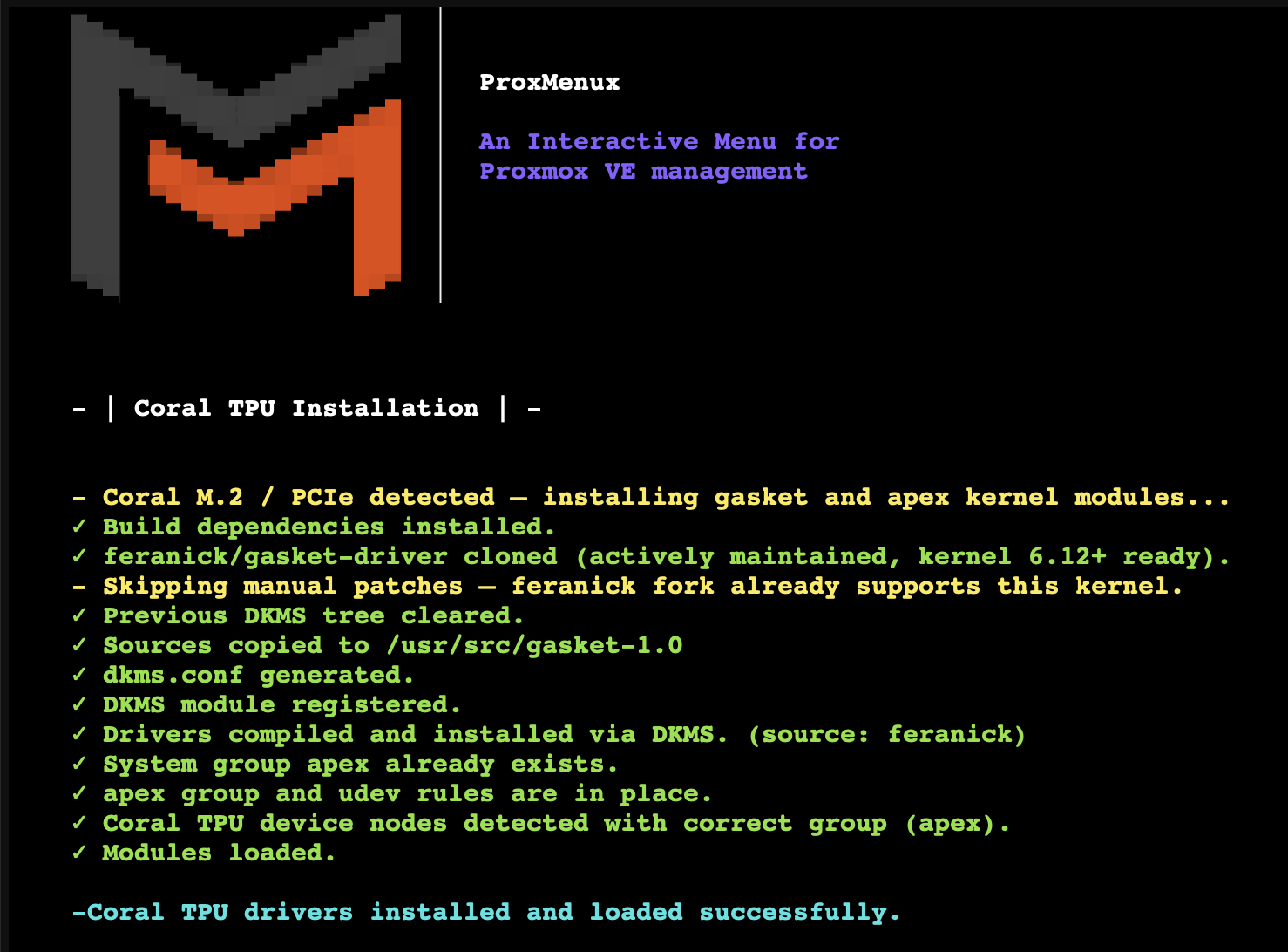
If the host has no detected PCIe / M.2 Coral but still contains a previous gasket-dkms installation, ProxMenux identifies that state separately and offers an optional cleanup. Nothing is removed without confirmation.
- If a PCIe / M.2 Coral is present, this cleanup is never offered; the normal DKMS rebuild path is used instead.
- The cleanup purges
gasket-dkms, removes stale gasket DKMS registrations and source trees, and repairs pendingdpkg/ APT state. - The USB runtime packages
libedgetpu1-stdandlibedgetpu1-maxare left untouched, so a USB Coral keeps its runtime. - The script verifies that the legacy package is gone and that package management is healthy before reporting success.
Confirm the hardware first
Reinstall or uninstall
Running the installer on a host where Coral is already installed (PCIe via gasket-dkms, USB via libedgetpu1-std/libedgetpu1-max, or both) no longer drops straight into another fresh install. Instead, ProxMenux detects the existing setup and shows an action menu so you can decide what to do.
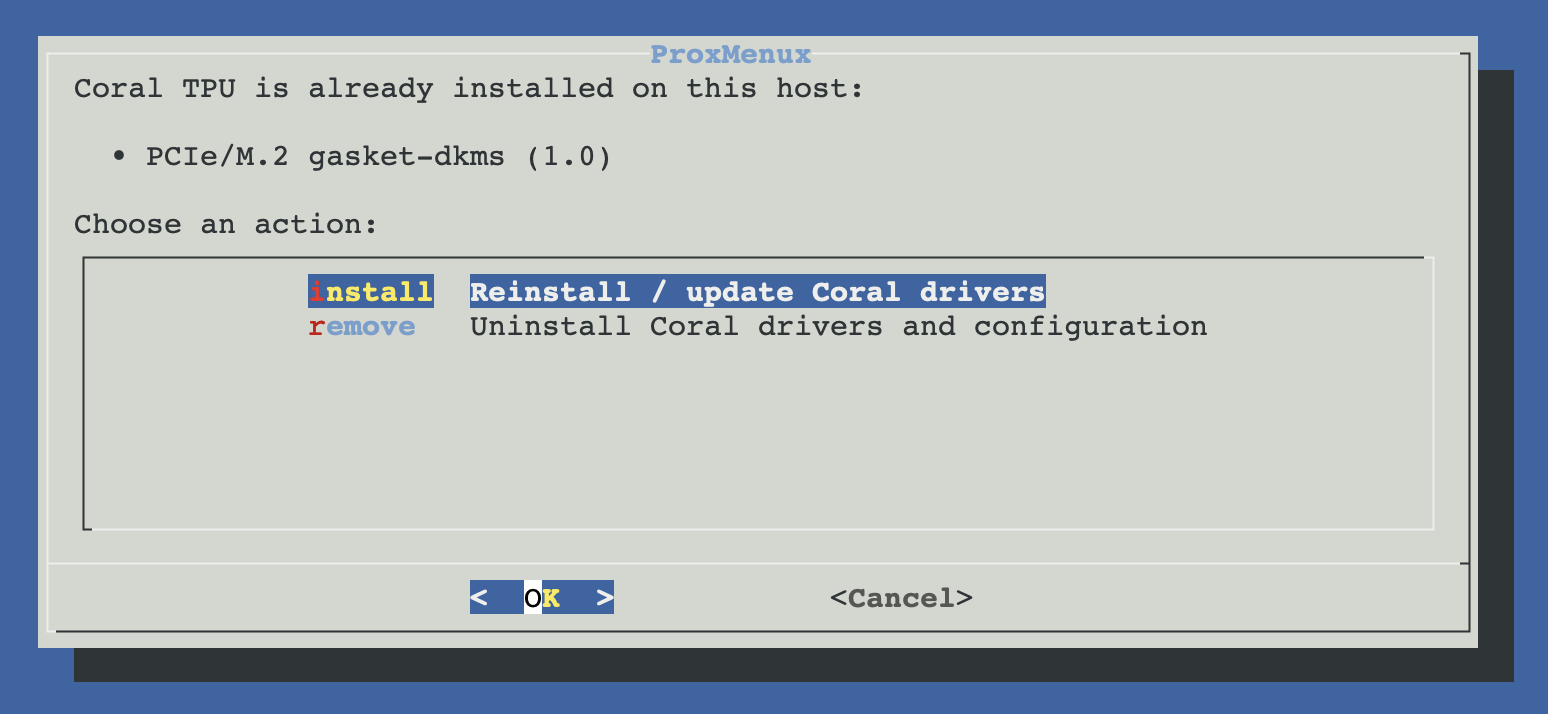
libedgetpu1-* package, or live /dev/apex_* device nodes).Reinstall / update
Continues with the normal install flow — useful after a kernel upgrade if the DKMS rebuild didn't happen automatically, or to lift the runtime to a newer libedgetpu1-* from the Google Coral apt repo. The previous DKMS state is cleaned up first so a half-installed package from a failed earlier attempt doesn't block the new build.
Uninstall — what gets removed
Confirms with a yes/no dialog before doing anything (LXC containers with apex passthrough will lose access to /dev/apex_* after the next reboot — the warning makes that clear). Then it performs a full, idempotent rollback:
- Unloads the
apexandgasketkernel modules. - Removes every DKMS-registered
gasket/<version>entry so the modules don't come back on the next kernel install. - Purges the
gasket-dkms,libedgetpu1-stdandlibedgetpu1-maxapt packages, then runsapt-get autoremove --purge. - Deletes the udev rule
/etc/udev/rules.d/99-coral-apex.rulesProxMenux wrote; restores the upstream60-gasket-dkms.rulesgroup to its default if it's still present. - Removes the
apexsystem group only if no users still belong to it — if you mapped a custom user intoapexfor an LXC passthrough, the group is left in place and a warning prints the current members. - Cleans the Google Coral apt repository entry and keyring (
/etc/apt/sources.list.d/coral-edgetpu.list+coral-edgetpu-archive-keyring.gpg). - Prompts for a reboot at the end only if the PCIe path was installed — the cleanest way to flush the kernel modules. USB-only uninstalls don't need one.
LXC containers with apex passthrough
Update notifications
ProxMenux now tracks the installed Coral components in its managed-installs registry. Both variants are followed independently — a host with both M.2 and USB Coral devices gets two update streams, each with its own upstream source:
| Variant | Tracked version | Upstream source |
|---|---|---|
| PCIe / M.2 | gasket-dkms Debian version (or the DKMS-registered version if the package was force-removed) | Latest tag of feranick/gasket-driver on GitHub (7-day cache, build-number comparison) |
| USB | libedgetpu1-std or libedgetpu1-max apt version | Local apt-cache policy candidate (Google Coral apt repo) |
When a newer version is detected the Monitor fires a coral_driver_update_available notification on every enabled channel (Telegram, Discord, Gotify, ntfy, email, webhook). The notification points back at the same installer entry — pick Reinstall / update from the action menu above to apply it.
Anti-cascade by design
Reboot is only needed for the PCIe path
Manual equivalent
If you want to know what happens under the hood, or redo an individual step by hand, the raw commands per path look like this.
PCIe / M.2 (gasket + apex via DKMS)
# Build deps
apt-get update
apt-get install -y git dkms build-essential "proxmox-headers-$(uname -r)"

# Clone the (maintained) fork
cd /tmp
rm -rf gasket-driver
git clone --depth=1 https://github.com/feranick/gasket-driver.git

# Stage under /usr/src for DKMS
cp -a /tmp/gasket-driver/src/. /usr/src/gasket-1.0/

# Tell DKMS what it is
cat > /usr/src/gasket-1.0/dkms.conf <<'EOF'
PACKAGE_NAME="gasket"
PACKAGE_VERSION="1.0"
BUILT_MODULE_NAME[0]="gasket"
BUILT_MODULE_NAME[1]="apex"
DEST_MODULE_LOCATION[0]="/updates/dkms"
DEST_MODULE_LOCATION[1]="/updates/dkms"
MAKE[0]="make KVERSION=${kernelver}"
CLEAN="make clean"
AUTOINSTALL="yes"
EOF

# Register + build + install
dkms add    /usr/src/gasket-1.0
dkms build  gasket/1.0 -k "$(uname -r)"
dkms install gasket/1.0 -k "$(uname -r)"

# Load it
modprobe gasket
modprobe apex

# Group + udev so /dev/apex_* end up with sane perms
groupadd --system apex 2>/dev/null || true
cat > /etc/udev/rules.d/99-coral-apex.rules <<'EOF'
KERNEL=="apex_*",   GROUP="apex", MODE="0660"
SUBSYSTEM=="apex",  GROUP="apex", MODE="0660"
EOF
udevadm control --reload-rules
udevadm trigger --subsystem-match=apex || true

# (Reboot recommended)
USB (libedgetpu runtime)
# GPG key + repo (modern signed-by layout)
mkdir -p /etc/apt/keyrings
curl -fsSL https://packages.cloud.google.com/apt/doc/apt-key.gpg \
  | gpg --dearmor -o /etc/apt/keyrings/coral-edgetpu.gpg
chmod 0644 /etc/apt/keyrings/coral-edgetpu.gpg

echo 'deb [signed-by=/etc/apt/keyrings/coral-edgetpu.gpg] https://packages.cloud.google.com/apt coral-edgetpu-stable main' \
  > /etc/apt/sources.list.d/coral-edgetpu.list

# Install the runtime
apt-get update
apt-get install -y libedgetpu1-std

# Reload udev so shipped rules apply to anything already plugged in
udevadm control --reload-rules
udevadm trigger --subsystem-match=usb || true
Verification
PCIe / M.2
# Module loaded?
lsmod | grep apex
# Expect: apex, gasket (gasket as dependency)

# Device node present with apex group?
ls -l /dev/apex_*
# Expect: crw-rw---- 1 root apex ...  /dev/apex_0

# Kernel sees the device cleanly?
dmesg | grep -i apex | tail -10
# Expect: "Apex chip ID ..." / "apex 0000:xx:00.0: Apex performance changed to ..."
USB
# Is it seen by USB?
lsusb | grep -E '1a6e:089a|18d1:9302'

# Runtime installed?
dpkg -l libedgetpu1-std | grep ii

# Quick smoke test — run the Coral classification example from any Python env
#   pip install pycoral tflite_runtime pillow
# (Ran from the container that will use the TPU, not the host.)
Troubleshooting
DKMS build fails after a kernel upgrade
proxmox-headers-$(uname -r) isn't installed for it yet. Check with dpkg -l proxmox-headers-$(uname -r). Install the missing headers and re-run the script — ProxMenux's cleanup_broken_gasket_dkms step handles any leftover half-configured package state./dev/apex_0 missing after reboot
modprobe apex by hand. If that errors, check dmesg | grep -iE "apex|gasket" for the real failure — common culprits are kernel version mismatch (DKMS was built for a different kernel than the one you booted) or a firmware upgrade that disabled the PCIe slot the Coral is in.Can see /dev/apex_0 but LXC can't
USB Accelerator detected but Frigate / TFLite can't reach it
libedgetpu1-std took effect: ls -l /dev/bus/usb/*/*. The device should NOT be owned by root:root with mode 0600 — if it is, run udevadm control --reload-rules && udevadm trigger on the host, unplug the USB Coral, wait 3 seconds and plug it back in.Install log
/tmp/coral_install.log on the host. If the DKMS build dies, the script also appends the last 50 lines of /var/lib/dkms/gasket/1.0/build/make.log to that log — attach it when asking for help on GitHub.Related
- Add Coral TPU to LXC — pass the host Coral device into a container (Frigate, CodeProject.AI…).
- Install NVIDIA Drivers (Host) — same idea for NVIDIA GPUs.
- ProxMenux Monitor — Hardware tab — the Coral modal that surfaces driver, modules, device nodes, runtime status and live temperature once the host install is done.