
Create VM: System NAS
ProxMenux supports seven NAS operating systems as dedicated VMs, plus an optional Umbrel OS path via a community script. Most systems share the same auto-ISO flow; Synology DSM uses a specialised loader wizard.
How the NAS selector works
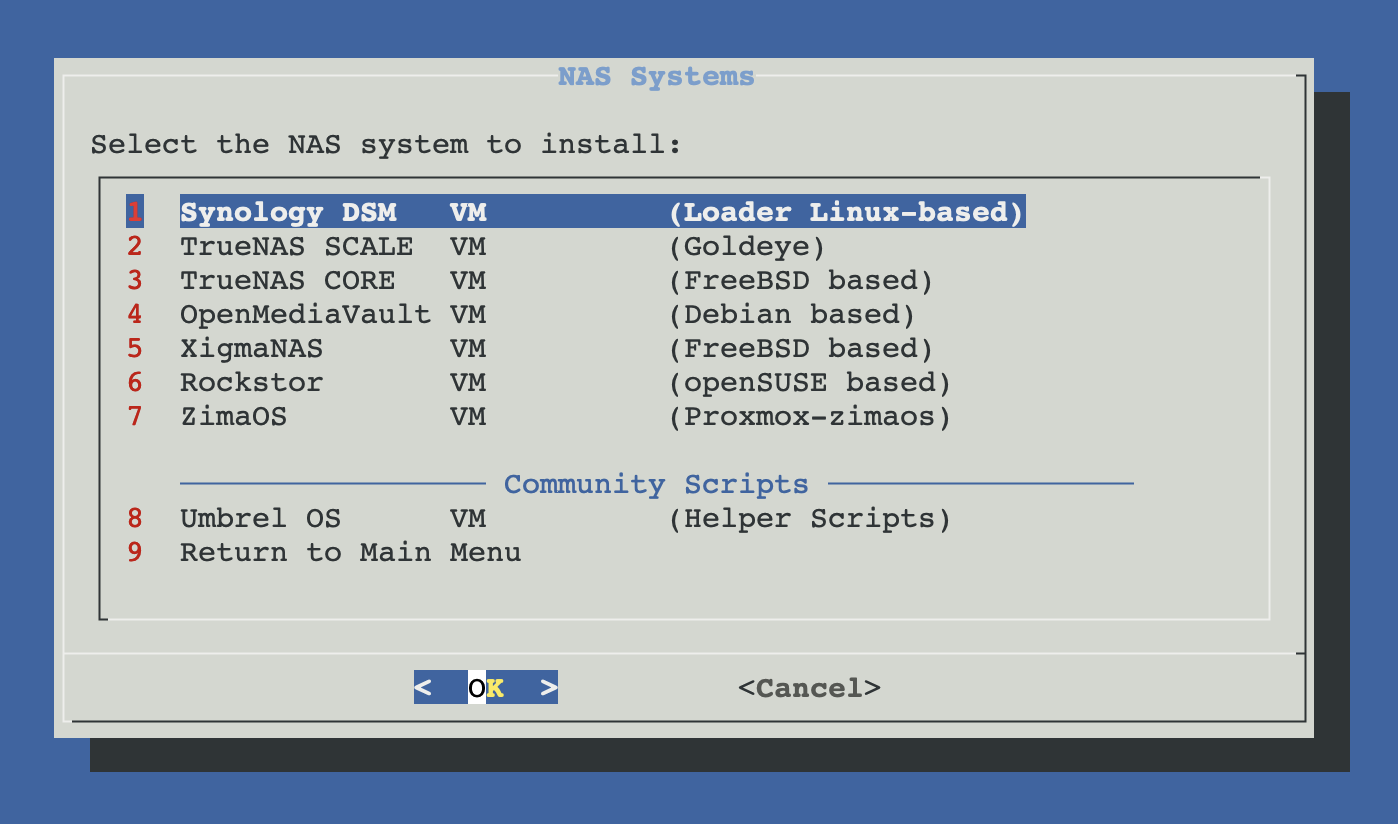
Supported NAS systems
Synology DSM
DiskStation Manager with the ARC / RR loader. Requires configuring the loader before first boot.
- Base
- Linux (custom)
- Filesystem
- Btrfs, ext4
TrueNAS SCALE
Debian-based TrueNAS with Docker / Kubernetes apps and ZFS as primary filesystem.
- Base
- Debian Linux
- Filesystem
- ZFS
TrueNAS CORE
FreeBSD-based TrueNAS. Enterprise-grade ZFS storage with jails and plugins.
- Base
- FreeBSD
- Filesystem
- ZFS
OpenMediaVault
Lightweight Debian-based NAS with a modular plugin architecture. Great for older hardware.
- Base
- Debian Linux
- Filesystem
- ext4, XFS, Btrfs
XigmaNAS
FreeBSD-based NAS — the original successor to FreeNAS, focused on ZFS and simplicity.
- Base
- FreeBSD
- Filesystem
- ZFS, UFS
Rockstor
openSUSE-based NAS built around Btrfs. Rock-ons (Docker apps) extend functionality.
- Base
- openSUSE Leap
- Filesystem
- Btrfs
ZimaOS
Lightweight NAS OS focused on media, Docker apps and home automation. Uses its own installer.
- Base
- Debian / CasaOS
- Filesystem
- ext4
Community option: Umbrel OS
ZFS memory rule of thumb
Related
- Synology VM — dedicated installer for Synology DSM (Xpenology) on Proxmox.
- Other System NAS — TrueNAS, OpenMediaVault, Rockstor, XigmaNAS and similar.
- Import Disk to VM — pass real physical disks to the NAS VM (recommended over virtual disks for production).
- ZFS Management commands — useful if your NAS distribution uses ZFS underneath.
- Create VM overview.